startposting Tools · For anyone who sells a product
AI product photoshoot
from one photo.
One phone photo in, a matching set out.
1 · Your product
Upload a photo of your product
A phone photo is fine. The whole product in frame, the label facing the camera. You can add a second angle of the same product.
Free to try: no account until you generate. Your first photos are on us.
Real output, unretouched
One phone photo in. A matching set out.
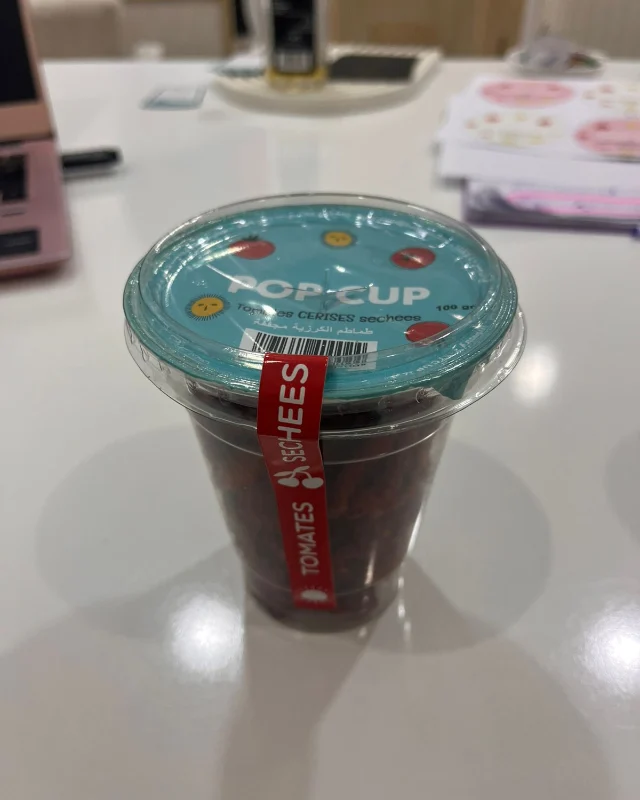
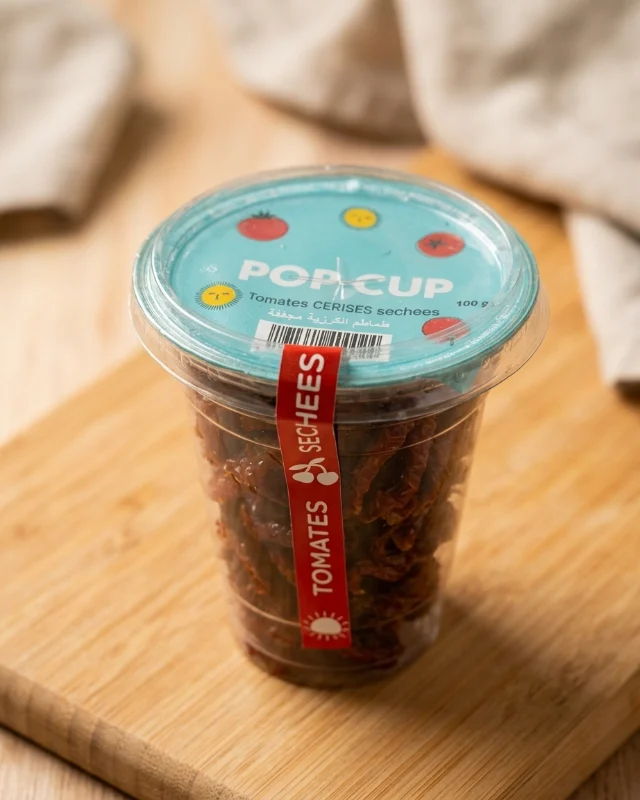
On the left, a phone photo of a real product: Pop Cup, a Tunisian dried-tomato snack, shown with the brand's permission. On the right, what this AI product photoshoot tool returned with the Kitchen counter look, as it came out.
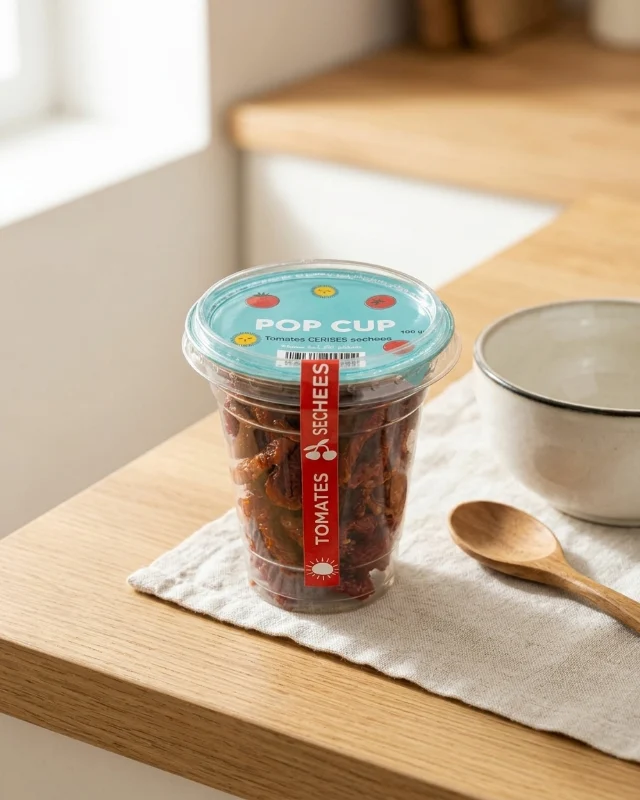 Lifestyle scene
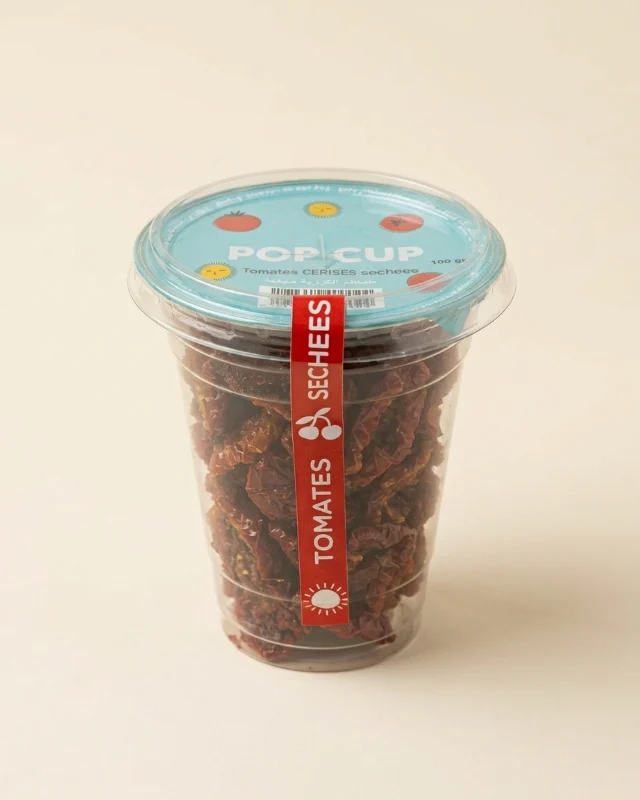 Studio packshot
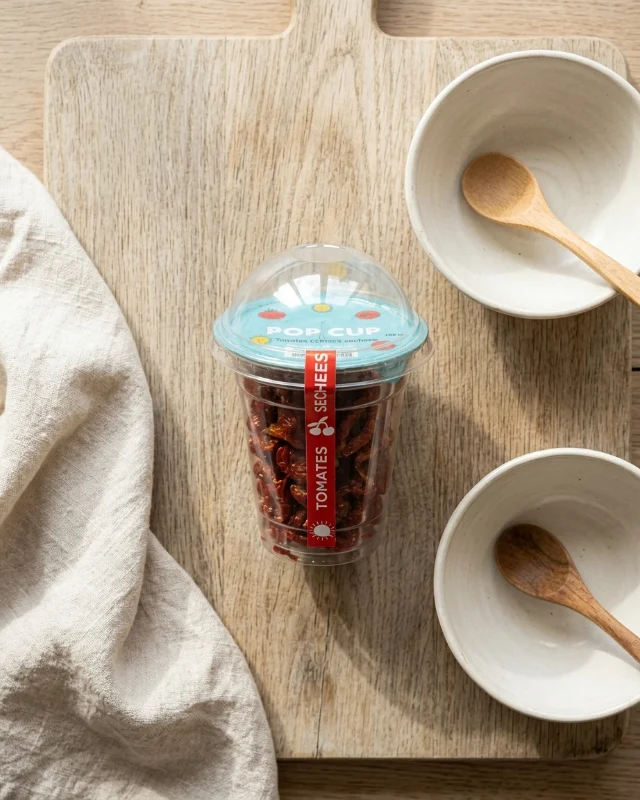 Flat lay
 Close-up
How it works
From phone photo to product photoshoot in three steps
1
Upload your product
One phone photo, plus a second angle if you have one. A free check reads what the product is.
2
Pick the shots and a look
Choose 1 to 4 shots and one look for the whole set. Everything is pre-filled for your product.
3
Get your photoshoot
A matching set in about a minute. Download, redo one photo, or turn one into a post with captions.
The shots
Four kinds of photo. Pay only for those you pick.
Lifestyle scene
Your product in a real place.
Instagram, ads and the hero of your product page.
Studio packshot
Clean studio photo, plain background.
Your shop's main image and marketplace listings.
Flat lay
Seen from above, styled with props.
Feeds, newsletters and seasonal campaigns.
Close-up
Detail shot, soft background.
Showing quality: finish, texture and the label up close.
The looks
11 everyday looks. 21 seasonal events.
The tool suggests the looks that suit your product first: spa bathroom for skincare, kitchen for food, velvet for jewellery. For campaigns, the seasonal looks are listed with the next event first. Every shot of a photoshoot shares one look, so your photos match.
Everyday
Seasons and occasions
What it does, what it won't
Honest about the limits.
It does
- Keeps your product's shape, colours, cap and label
- Puts every shot of a set in the same look
- Checks your photo for free before you spend a credit
- Refunds a failed photo automatically
It won't
- Add people or hands to your photos
- Add props that suggest ingredients, effects or awards your product doesn't have
- Add text, prices or badges on the image
- Guarantee tiny print and punctuation on the label
These are AI images made from your product photo, not photographs. Check every image against your real product before you publish it. How we use AI
Pricing
Your first photos are on us.
Free
first photos
Free credits with a free account. No card.
1 credit
per photo, 1K
Standard resolution, made for social media and most shops.
2 credits
per photo, 2K
High resolution, for zoom and large displays.
Credits are shared with your social posts and every other tool. See plans
AI product photoshoot: questions
What is an AI product photoshoot?
You upload an ordinary photo of your product and the AI photographs it again in new settings: a real-looking room, a clean studio, a styled flat lay or a close-up. Your product stays the same; only the scene around it is created. No studio, no photographer, no prompt to write.
What photo of my product do I need?
One clear phone photo with the whole product in frame and the label facing the camera. A second photo from another angle helps for bottles, jars and boxes. The tool checks your photo first, for free, and warns you if it is blurry, cropped, dark or too busy.
Will my label and packaging stay exactly the same?
That is the first rule the tool follows: same shape, colours, cap, logo and label. Large text is usually reproduced exactly. Very small text and punctuation, like a hyphen in a brand name, can come out approximate; when the model cannot copy a line of text faithfully it is told to leave it unreadable rather than invent it. Always check each photo against your product before you publish it.
Which photos do I get?
You pick 1 to 4 shots and pay only for those: a lifestyle scene, a studio packshot on a plain background, a flat lay seen from above, and a close-up with a soft background. All shots of one photoshoot share the same look, so they match on your product page.
Do you have seasonal looks?
Yes, 21 of them, from New Year and Valentine's Day to Ramadan, Eid, Mother's Day, Father's Day, back to school, Halloween, Diwali, 11.11, Black Friday, Cyber Monday and Christmas, plus the four seasons. The tool lists the next events first, with their dates.
Can I fix one photo?
Yes. Open it and click Redo this photo. You can say what should change, for example "fewer props" or "warmer light". Only that photo is made again, for the price of one photo, and the first version is kept.
How much does it cost?
Your first photos are free with a free account, no card required. After that, each photo costs 1 credit at standard resolution (1K) or 2 credits in high resolution (2K), from the same credits as your posts. A failed photo is refunded automatically.
Your product photoshoot, today.
Upload one photo, pick the shots, get a matching set. No studio, no prompts.
Try the product photoshoot