The short answer
- Closest swapPixelcut — same shape, same instincts, familiar in minutes.
- One tool for everythingCanva.
- A whole catalogueClaid.ai, via its API. Better than us at this, and it is not close.
- Only the cutoutremove.bg. Do not adopt a suite to get a transparent PNG.
- Art-directing the shot yourselfFlair.ai.
- Licensing your buyers will acceptAdobe Express.
- You want the post done in secondsstartposting — image, headline, caption and hashtags in one pass. That is the one we make.
Show the working
How we picked — the criteria, stated first.
Most lists like this one are written by a company that appears at number one on it, and almost none of them tell you what the ranking was for. That is the tell. So here are the rules we used, before you see the list they produced.
- Sorted by job, not ranked. Which tool is best depends entirely on which problem you have. A single ordering would be a claim we cannot support and you cannot check.
- We appear once. In the one slot we actually win. Six of the seven jobs on this page have somebody else's name against them, including the two biggest ones.
- No prices we did not verify ourselves. Quoting seven companies' pricing from memory is how a page goes stale and wrong. Where we did not read it from the vendor's own page, in a US locale, this month, we describe the structure instead of inventing a number.
- Nothing dead, nothing fading. Every tool here was verified as actively maintained in July 2026. This category buries products quietly — Booth.ai shut in 2025 and still appears on lists written since.
- No affiliate links, and no links at all. We do not earn anything if you pick one of these, and we do not link out to any of them. Search the name.
The honest premise
Why people look for an alternative at all.
Worth saying plainly before a list of replacements: people very rarely leave Photoroom because the images are bad. Its background removal is the benchmark this whole category is measured against, and reviewers say so without being asked. A graphic designer on Capterra writes: “The ease by which we can edit and cutout a dress in an instant is amazing.”
In published reviews the recurring theme is the bill and the metering. One reviewer describes the terms of an existing subscription changing part-way through. And three things about the plan structure catch people out, all read from their own public pricing page on 28 July 2026 from a US connection:
- Every tier reads “per month, billed yearly” — the headline price is a year paid up front.
- AI credits and image exports are metered separately, so you can have thousands of one and none of the other.
- API usage is billed separately again, pay as you go, on top of the subscription.
- The free plan watermarks its output and is not licensed for commercial use.
None of that is a scandal. It is a normal set of trade-offs that stops suiting some people, which is the only honest reason to read a page like this one.
The shortlist
The seven, by job.
If you want one tool for everything
Canva
The default for most small businesses, and reasonably so. Background removal, a very large template library, print, packaging, presentations, scheduling on the paid tier. It is not a specialist product-photo tool and it does not try to be.
- Where it wins
- Breadth. Nothing else on this list touches print, decks and social from one account.
- What it costs
- Free tier is genuinely usable; background removal sits behind the paid tier.
If you want the closest like-for-like swap
Pixelcut
The nearest thing to a drop-in replacement: mobile-first, tool-by-tool, background removal and AI product shots in the same app. If what you liked about Photoroom was the shape of it and not the price, this is the one that will feel familiar fastest.
- Where it wins
- Familiarity. The workflow is close enough that you will not have to relearn anything.
- What it costs
- Credit-metered, with a free tier.
If commercial safety matters to your buyers
Adobe Express
Adobe's lightweight editor with Firefly generation behind it, plus a basic scheduler. The reason to pick it over the others is provenance: Adobe trains on licensed material and says so, which some brands and marketplaces care about a great deal.
- Where it wins
- The licensing story, and it is the only one here that is also a scheduler.
- What it costs
- Free tier, then a credit allowance on the paid plan.
If you have a catalogue, not a post
Claid.ai
API-first and built for volume — you point it at hundreds of product images and it standardises them. This is the honest answer for anyone whose actual problem is two thousand listings that look inconsistent, and it is a better answer than ours.
- Where it wins
- Scale. Nothing else here is designed to be called by a script.
- What it costs
- Credit bundles, sales-led at the top end.
If you want to art-direct the scene yourself
Flair.ai
A drag-and-drop staging canvas: you place the product, the props and the lighting, and it renders. Slower than everything else on this list by design, because you are making the decisions rather than accepting them.
- Where it wins
- Control. If you have a specific shot in your head, this is how you get exactly it.
- What it costs
- Entry pricing is low; generation-heavy work burns credits fast.
If you genuinely only need the cutout
remove.bg
One job, done well, with an API and no editor attached. Worth naming because a lot of people shopping for a Photoroom alternative do not need a product-photo suite — they need a transparent PNG and nothing else.
- Where it wins
- It does not make you adopt a workflow to get one thing.
- What it costs
- Free previews; paid per image at full resolution.
If the image was never the part that stopped you
startposting.
The only one on this list that hands back something you can publish rather than something you then have to write around. One real product photo in; seconds later out comes the restyled image with a headline, a caption for the platform you named, and hashtags. No prompt to write, no canvas to open, no preset library to learn — three questions and you are done.
- Where it wins
- Seconds, not an afternoon. Everything else here finishes the picture and leaves you the post; this finishes the post.
- What it costs
- 3 posts free, no card. Paid plans are metered in posts, and unused posts never expire.
Their screens, not ours
What each one actually looks like.
Captured from each company’s own public site on the date shown, in an ordinary desktop browser window. Nothing in any frame is edited, staged or cropped — scrollbar and cookie notice included — and the only change is a uniform scale-down so they fit on this page. We are not affiliated with any of them and we do not link to them — the point is only that the shape of the tool is the argument this page is making.
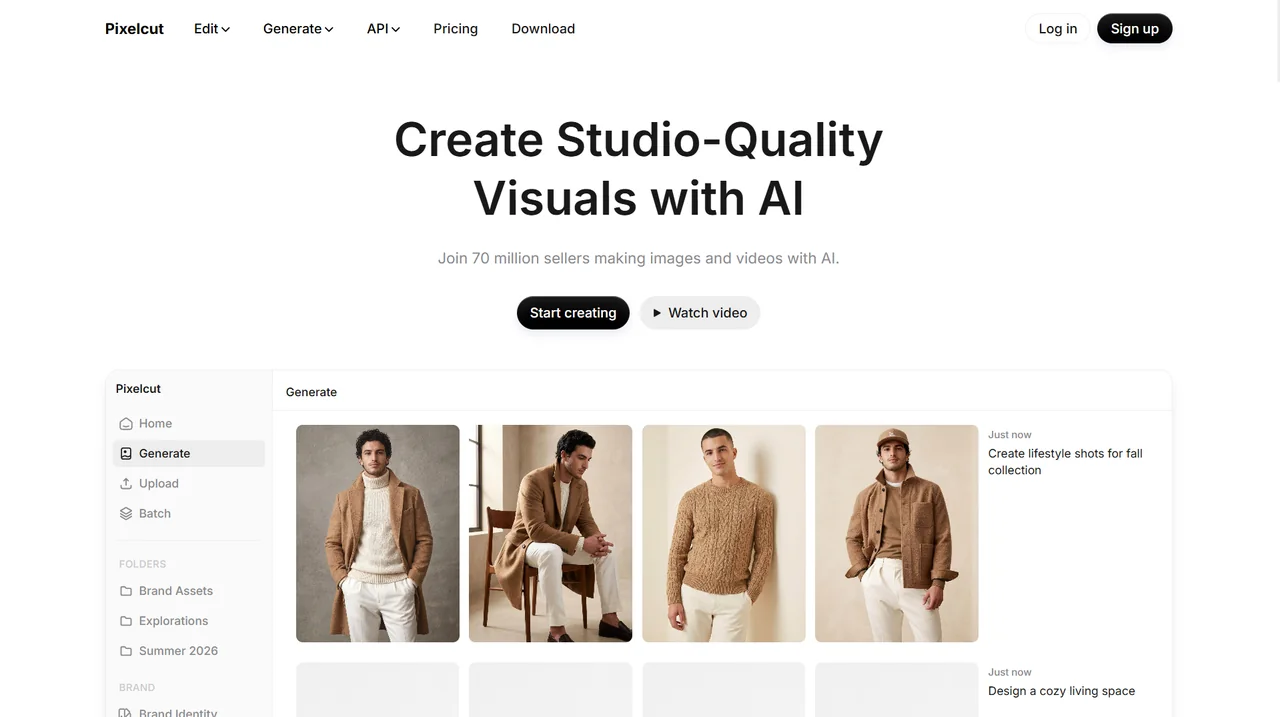
Pixelcut
The app is the landing page. Generate, Upload, Batch — the same shape of tool as Photoroom, aimed at the same seller.
Pixelcut’s own site, captured 2 August 2026. The screen, and everything on it, belongs to them and not to us.
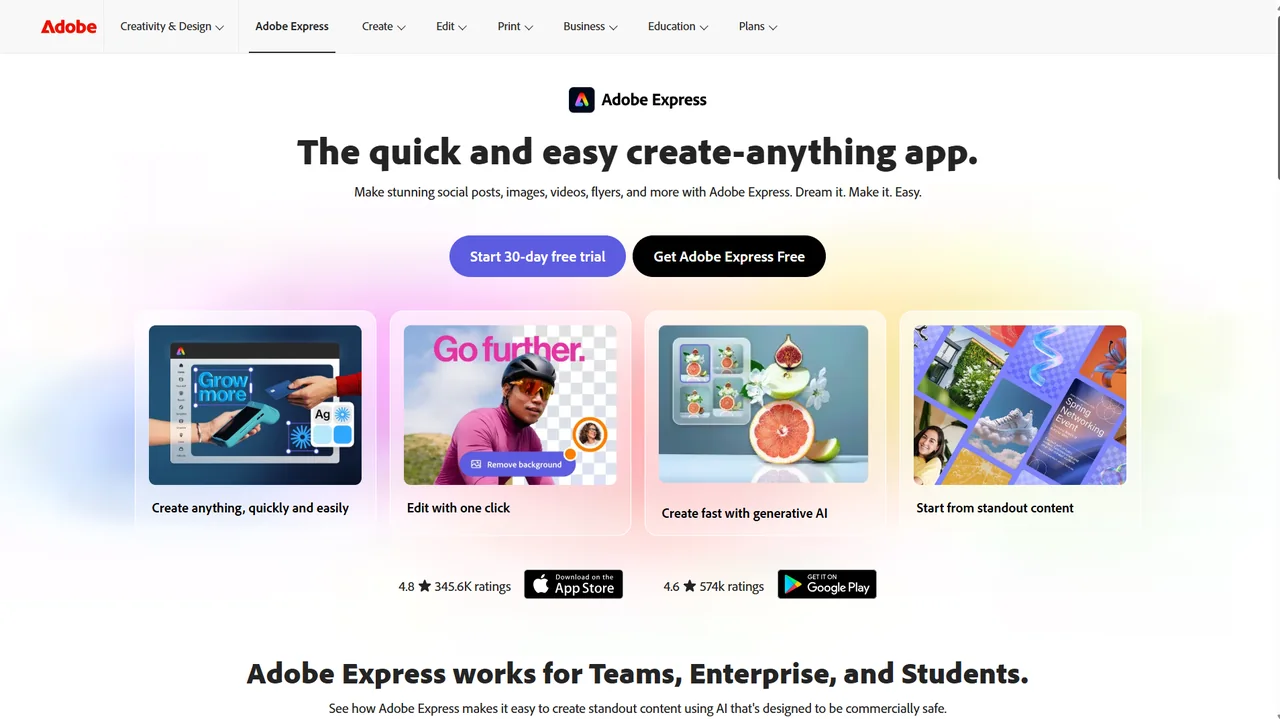
Adobe Express
Background removal is one card out of four here. It is a feature of a suite rather than the product.
Adobe Express’s own site, captured 2 August 2026. The screen, and everything on it, belongs to them and not to us.
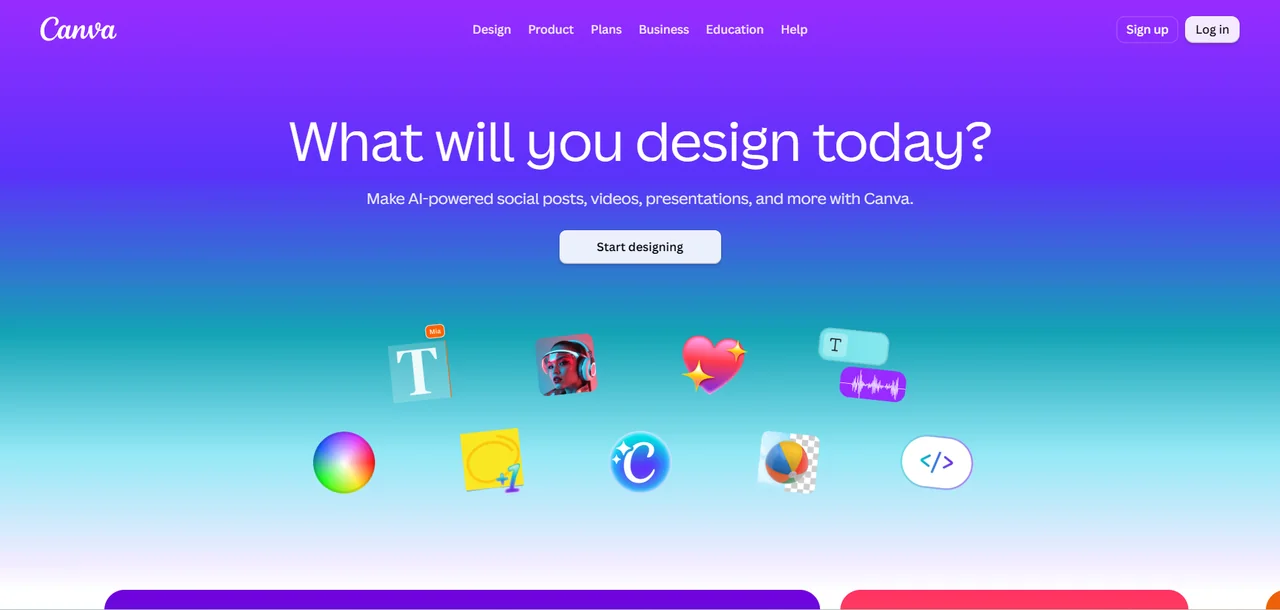
Canva
One question, one button, and everything else behind it. The breadth is the point — and the breadth is what you pay for either way.
Canva’s own site, captured 2 August 2026. The screen, and everything on it, belongs to them and not to us.
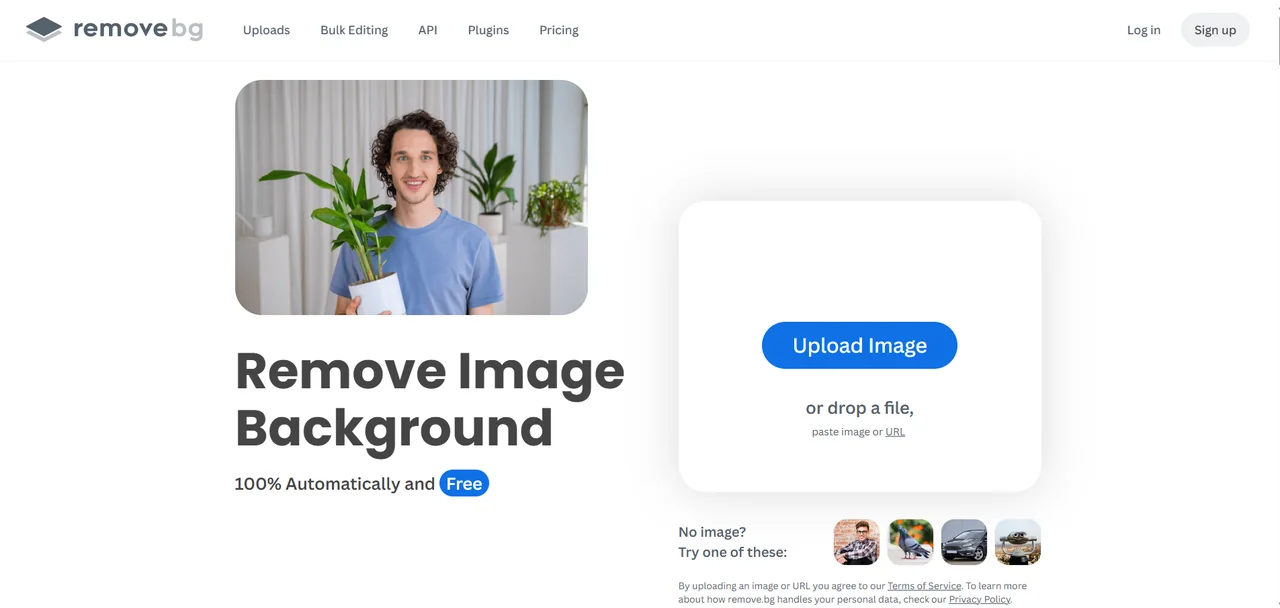
remove.bg
One job, named in the headline, with the upload box already open beside it. Bulk Editing and API in the navigation say who the heavy users are.
remove.bg’s own site, captured 2 August 2026. The screen, and everything on it, belongs to them and not to us.
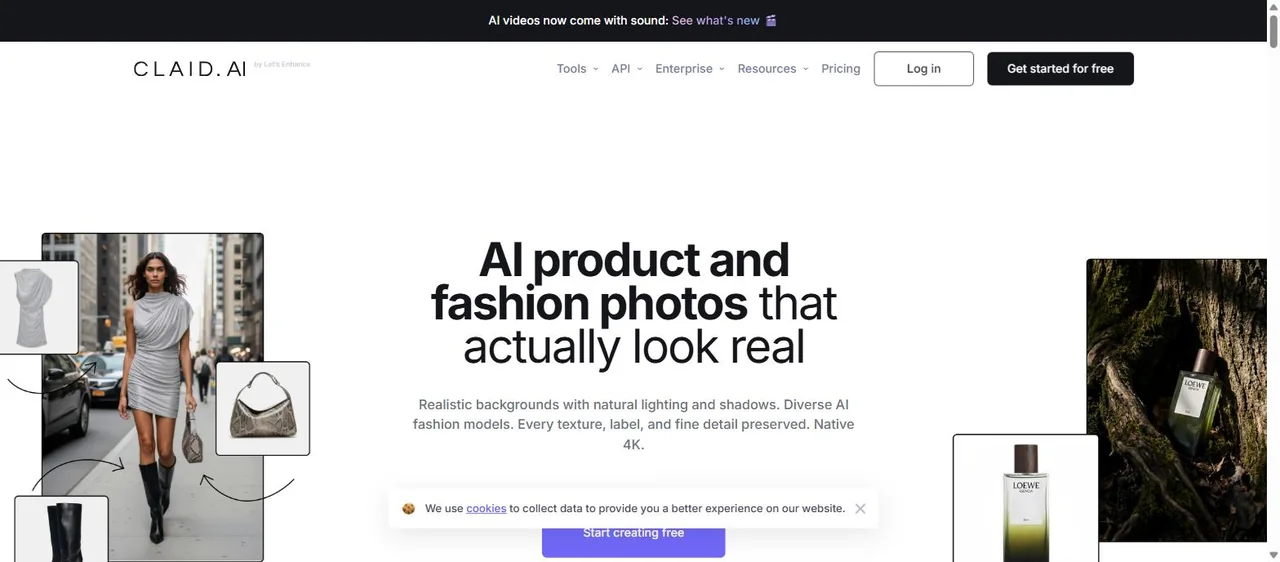
Claid.ai
API and Enterprise sit in the top navigation next to Tools. That is the tell: built to be called by a catalogue, not clicked by a seller.
Claid.ai’s own site, captured 2 August 2026. The screen, and everything on it, belongs to them and not to us.
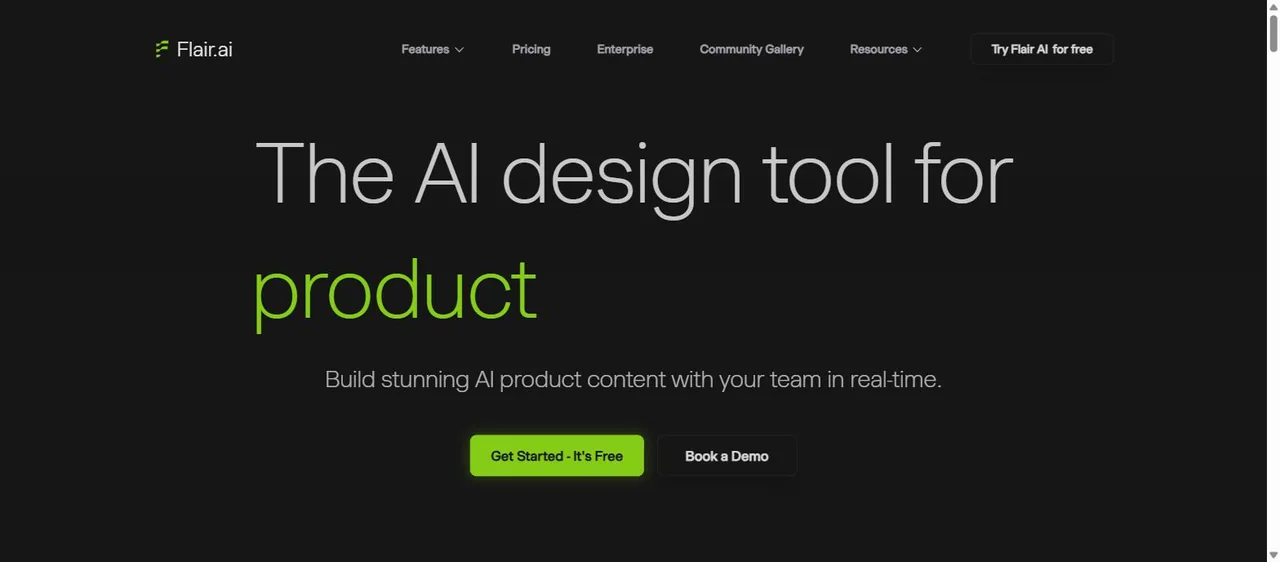
Flair.ai
It calls itself a design tool rather than a generator. “Book a Demo” next to the free trial tells you who it is really sold to.
Flair.ai’s own site, captured 2 August 2026. The screen, and everything on it, belongs to them and not to us.
Side by side
The same seven, on six questions.
Canva
- Removes backgrounds
- Paid tier
- Generates a scene
- Templates
- Writes the caption
- No
- Batch / API
- No
- Works on mobile
- Yes
- Free tier
- Yes
- Time to a PUBLISHABLE post
- 15–30 min
- Prompt writing needed
- No
Pixelcut
- Removes backgrounds
- Yes
- Generates a scene
- Yes
- Writes the caption
- No
- Batch / API
- No
- Works on mobile
- Yes
- Free tier
- Yes
- Time to a PUBLISHABLE post
- Image fast, post still yours
- Prompt writing needed
- No
Adobe Express
- Removes backgrounds
- Yes
- Generates a scene
- Yes
- Writes the caption
- No
- Batch / API
- No
- Works on mobile
- Yes
- Free tier
- Yes
- Time to a PUBLISHABLE post
- Image fast, post still yours
- Prompt writing needed
- No
Claid.ai
- Removes backgrounds
- Yes
- Generates a scene
- Yes
- Writes the caption
- No
- Batch / API
- Yes
- Works on mobile
- No
- Free tier
- Trial
- Time to a PUBLISHABLE post
- Batch, then still yours
- Prompt writing needed
- No
Flair.ai
- Removes backgrounds
- Yes
- Generates a scene
- Yes — you direct it
- Writes the caption
- No
- Batch / API
- No
- Works on mobile
- No
- Free tier
- Yes
- Time to a PUBLISHABLE post
- You art-direct it
- Prompt writing needed
- Some
remove.bg
- Removes backgrounds
- Yes — only that
- Generates a scene
- No
- Writes the caption
- No
- Batch / API
- Yes
- Works on mobile
- Yes
- Free tier
- Previews
- Time to a PUBLISHABLE post
- Cutout only
- Prompt writing needed
- No
startposting.
- Removes backgrounds
- Yes
- Generates a scene
- Yes
- Writes the caption
- Yes
- Batch / API
- No
- Works on mobile
- Not yet
- Free tier
- 3 posts, no card
- Time to a PUBLISHABLE post
- Seconds
- Prompt writing needed
- No — three questions
One row on that table has a single “Yes” in it, and it is the row this whole page turns on.
The gap
The gap none of the seven closes — except one.
Six of these tools hand you a finished image. Then you sit with it open and decide what the post is actually about: the headline, whether the caption opens with a question or a claim, which hashtags are worth anything this week, whether the tone matches the last four posts.
Sellers do not stall on the picture. They stall staring at an empty caption box with a perfectly good image already in it. That gap is not an oversight by any of these companies — it is the edge of the category they are all in. Photoroom’s own published comparison pages benchmark it against Photoshop, Picsart, Pixelcut, Claid, Midjourney and Gemini. Every one of those is an image tool. It is a category talking to itself about images while the job the seller actually has is to publish something today.
We built the other half, and the reason it matters is time. Every tool on this page gets you an image quickly. None of them gets you a publishable post quickly, because the twenty minutes was never in the picture — it was in the writing, the sizing and the second-guessing that comes after it. With us the whole thing lands in seconds: no prompt to engineer, no canvas to open, and editing is a headline tweak rather than a design session.
If the image was never your bottleneck, that is the honest reason to look at us — and if it was your bottleneck, one of the other six on this page is a better answer than we are.
Made with startposting
What startposting. gives you back.
These are unedited outputs from our own tool, not stock and not a mock-up — a seller’s real photo on the left, what startposting. sent back on the right. The product in the finished frame is the same object that went in: we restyle the scene around it rather than generating a new one, which is why the labels still read correctly.
Each one took seconds and no prompt — three questions, and this came back. What a still image cannot show you is the rest of the download: the headline, the caption written for the platform you named, and the hashtags.
Before
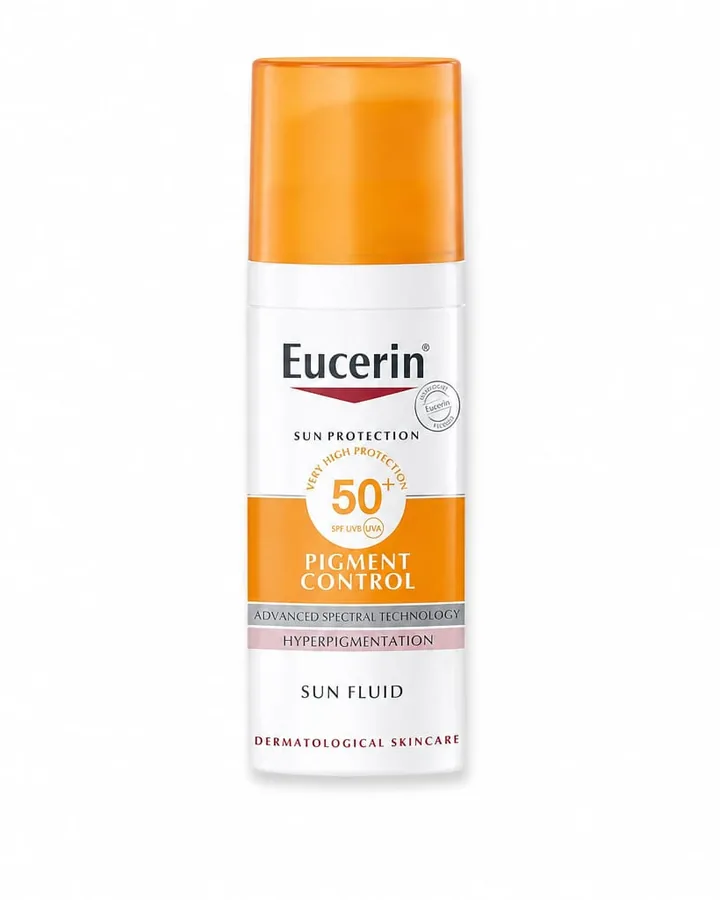
After — ready to post
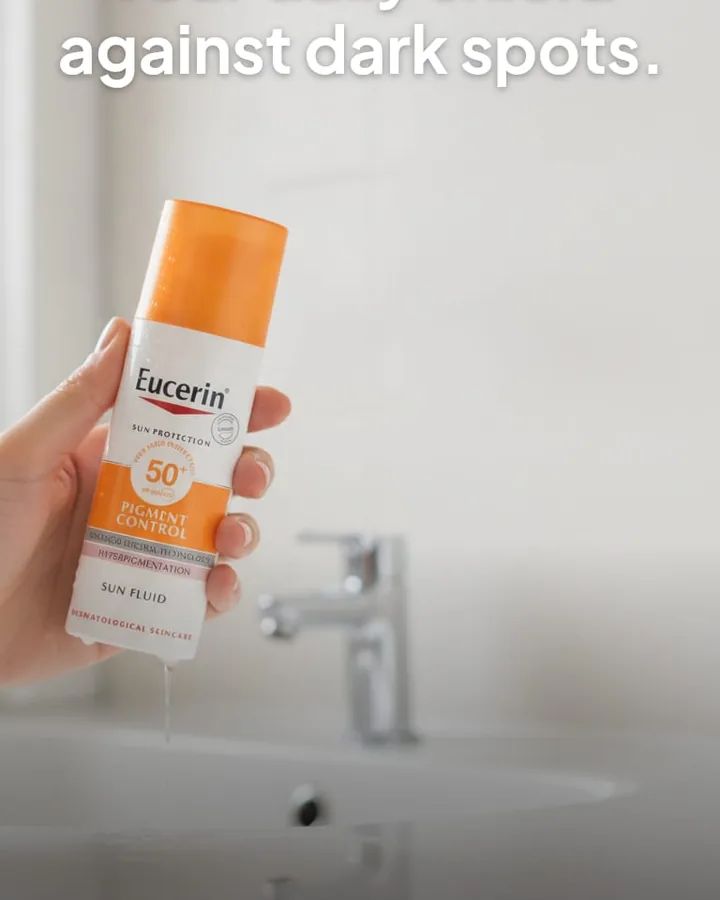
caption + hashtags written with the image — nothing left for you to fill in.
Before
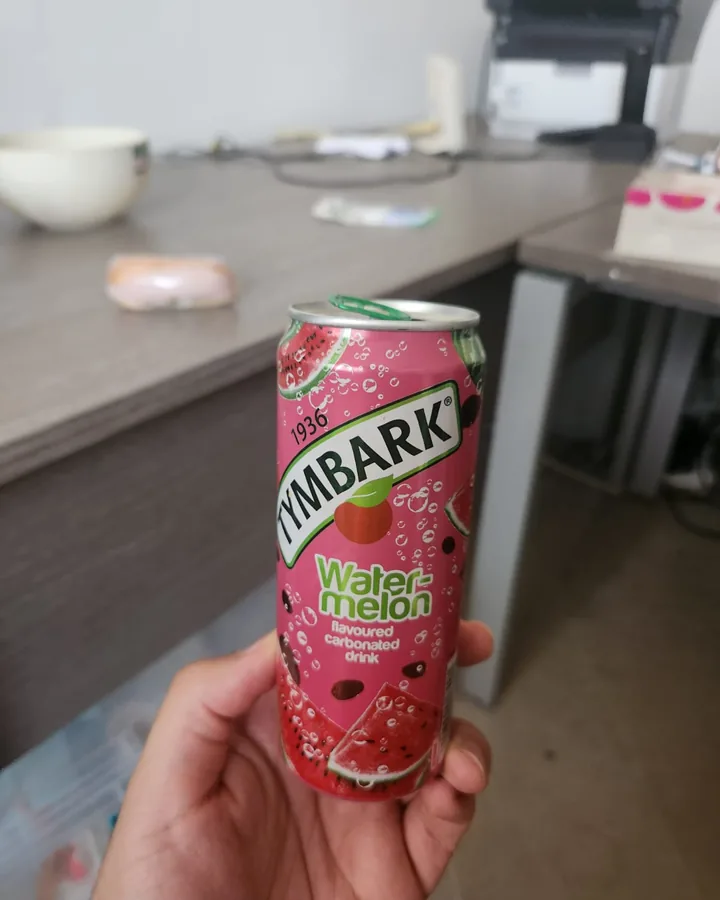
After — ready to post
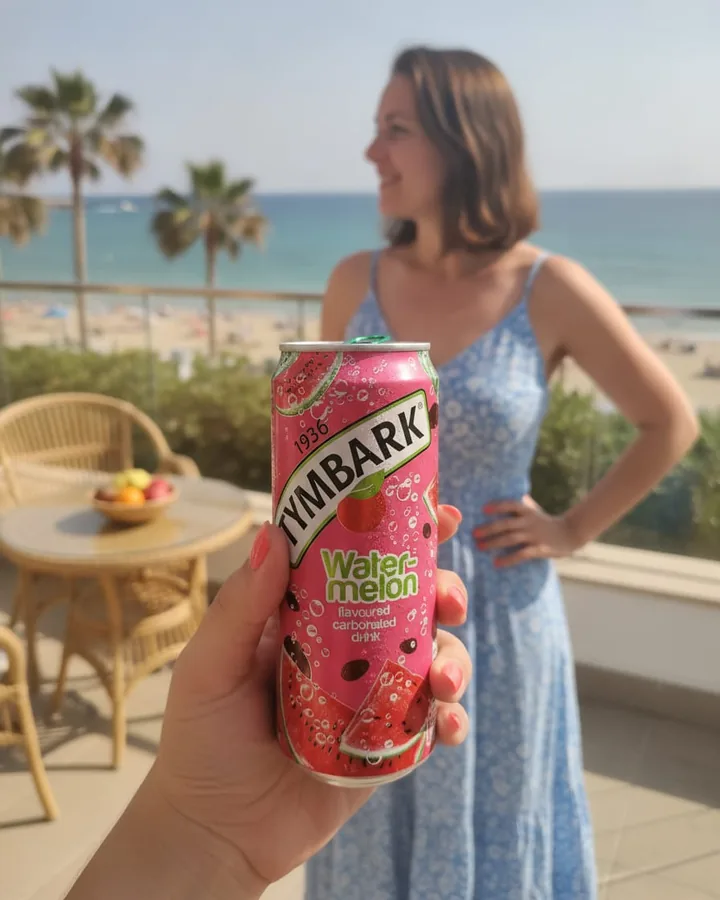
caption + hashtags written with the image — nothing left for you to fill in.
The other answer
When you should just stay on Photoroom.
A page listing seven replacements has an obvious incentive not to write this section, so here it is. Stay where you are if:
- cutout precision on hair, fabric edges or transparent packaging is what you judge on — theirs is the best here
- you work from your phone and the mobile app is the reason it fits your day
- your monthly volume genuinely uses the credits, in which case the per-image economics are hard to beat
- you are on an annual plan that has months left — switching mid-term is paying twice for the same problem
- nothing is actually wrong and you are just browsing, which is a completely reasonable thing to be doing
Questions
The things people ask before switching.
What is the best free Photoroom alternative?
Canva, if you can live without background removal on the free tier, and Pixelcut if you cannot. Both have free tiers that a seller can actually work in rather than trial tiers that watermark the output. Photoroom's own free plan watermarks and is not licensed for commercial use, which is usually the thing that starts this search.
Which one is closest to Photoroom?
Pixelcut. Mobile-first, tool-by-tool, background removal and AI product shots in one app — the workflow will feel familiar within a few minutes. If you liked Photoroom's shape and not its bill, start there.
What should I use for a whole catalogue?
Claid.ai, and it is not close. It is API-first and built to standardise hundreds of images from a script. If your problem is two thousand inconsistent listings, none of the interactive tools on this list — ours included — is the right shape of answer.
Is there anything that writes captions too?
On this list, only startposting. That is not a coincidence: the other six are image tools, and Photoroom's own published comparisons benchmark it against Photoshop, Picsart, Pixelcut, Claid, Midjourney and Gemini, which are all image tools as well. It is a category talking to itself about images while the seller's actual job is to publish something.
Why do people leave Photoroom?
In published reviews the recurring themes are pricing changes and metering rather than output quality. One reviewer on Capterra describes the terms of an existing subscription changing mid-way. The cutout itself is very good and reviewers say so unprompted — people rarely leave because the images are bad.
Does Photoroom have hidden limits?
Not hidden, but easy to miss: AI credits and image exports are metered separately, so you can have thousands of credits left and no exports. API usage is billed separately again. Every tier on their pricing table also reads per month, billed yearly — the headline figure is a year paid up front. Read from their own public pricing page on 28 July 2026 from a US connection.
Do any of these post to Instagram for me?
Adobe Express and Canva schedule on their paid tiers. The specialist product-photo tools, including Photoroom and including us, do not. If publishing is the step you want automated, that narrows the list to two immediately.
Which Photoroom alternative is best for a DTC brand's social posts?
If the job is listing images, stay with an image tool: Photoroom, Pixelcut or Claid.ai. If the job is the weekly social post, the image is only half of it, because the caption, call to action and hashtags still have to be written. startposting returns both from one product photo. The image is made by AI and it is not a photograph, so check it before you post.
Keep reading
- startposting vs. Photoroom — the head-to-head, in detail
- Best Canva alternatives — if a design suite is what you are leaving
- Midjourney alternatives for product photos — if a prompt generator kept getting your label wrong
- Best Predis.ai alternatives — schedulers, and the one thing none of them does
- Alternatives to hiring a product photographer — what a shoot really costs
- startposting vs. Canva — if a design editor is what you are weighing
- How to turn one product photo into a ready-to-publish Instagram post
Try it on one product.
Three posts free, no card.
Start freePhotoroom, Canva, Pixelcut, Adobe Express, Claid.ai, Flair.ai and remove.bg are trademarks of their respective owners. startposting is not affiliated with, endorsed by, or sponsored by any of them, and earns nothing from any recommendation on this page. Descriptions reflect publicly available information at the date of publication.