The short answer
- You wanted ideas and mood boardsStay on Midjourney. Nothing here comes close for that.
- You want that look, label intactMidjourney with a reference, then fix the label by hand.
- You want to art-direct the real objectFlair.ai — you place the actual cutout.
- You want your photo restyled by askingGoogle Gemini. Cheaper than us, and we run on it.
- You have a catalogue, not a postClaid.ai, via its API. Better than us at this.
- You wanted a post, not a picturestartposting — image, headline, caption and hashtags in one pass. That is the one we make.
Show the working
How we picked — the criteria, stated first.
Most pages like this one are written by a company sitting at number one on their own list, and almost none of them say what the ranking was for. So here are the rules we used, before you see the list they produced.
- Sorted by what you wanted, not ranked. There are three different reasons a seller opens Midjourney and they have three different right answers. One ordering would be a claim we cannot support and you cannot check.
- We are last, and we appear once. The first entry tells you to stay on Midjourney and the second hands the job to Midjourney plus a human retoucher. Five of the six slots have somebody else's name on them.
- Every Midjourney claim comes from Midjourney. Not from a rival's blog post about them, and not from a listicle. Their own published documentation, read on 1 August 2026. That is why this page quotes rather than characterises.
- No weakness we did not verify. An earlier draft of this page argued that Midjourney has no way to use your product photo. That is false — Omni Reference has existed since version 7 — and we cut it rather than ship a criticism a user would disprove in three seconds.
- No prices we did not read ourselves. Midjourney's plans were read from Midjourney's own published documentation on 1 August 2026 and are quoted here. For every other tool on this page we describe the cost structure instead, because we have not verified their figures from their own pages this month, and a stale competitor price is the easiest correction anyone can send us.
- No affiliate links, and no links at all. We earn nothing if you pick one of these, and we do not link out to any of them. Search the name.
The honest premise
Why your product comes back not quite your product.
Worth clearing up first, because a lot of pages on this query get it wrong: Midjourney can absolutely take your product photo as an input. Omni Reference — --oref — exists for exactly that, and its stated purpose is to put objects from a reference image into your creations. Character Reference and image weight came before it. If anyone tells you Midjourney only works from text, they have not opened it.
The problem is what the word reference means. A reference is something the model resembles, not something it preserves. Midjourney says so themselves. From their own Omni Reference documentation, read on 1 August 2026:
“intricate details like specific freckles or logos on clothing may not perfectly match your reference”
For a portrait, that is a footnote. For a candle with your business name on the label, that is the product. And three more things from the same page turn it from a quirk into a working constraint:
- Fidelity is a dial, not a guarantee — --ow runs from 1 to 1,000 and you are the one tuning it.
- It costs twice the GPU time of a standard generation — and the entry plan includes 3.3 hours of fast GPU time a month, so the faithful setting spends your allowance twice as fast.
- It does not run in Fast, Draft or Conversational mode, so it is also the slow one.
- It is a version 7 feature, which means no plan tier changes the behaviour — only how much you can afford to iterate on it.
Fast GPU time included per month, and how far it goes once Omni Reference is on. Read from their published plans documentation on 1 August 2026.
- Included per month
- What it’s worth with fidelity on
Basic $10/mo
Standard $30/mo
Pro $60/mo
Mega $120/mo
The entry plan is 3.3 hours a month, and the setting that keeps your label right spends it twice as fast. You keep every hour you paid for. Each generation just costs two of them.
None of that is a flaw. Midjourney was built to make beautiful images from ideas, and it is the best thing in the world at that. It was not built to reproduce an object you already own, and it does not claim to be. Selling a physical product is the one job where that distinction is the whole job.
Starts from your words
A prompt tool
- You describe your product
- The model draws one from the description
→ An object that resembles yours
Fidelity is a dial you tune
Starts from your photo
startposting.
- You upload your product
- The model is told your product outranks the scene
→ Your product, in a new scene
Fidelity is an instruction, not a setting
The shortlist
The six, by what you wanted from it.
If you were exploring, not shipping
Midjourney
The first honest answer on this page is that you may not need to leave. For mood boards, packaging directions, campaign concepting and anything where the point is to see what a thing could look like, nothing on this list matches it. Its rendering of light, material and texture is the best available, and that is why you are here rather than somewhere else.
- Where it wins
- The look. No tool on this page produces a scene as good-looking, and it is not close.
- What it costs
- $10, $30, $60 or $120 a month ($8 to $96 on an annual plan), and no free tier at all. What you are actually buying is fast GPU time — 3.3 hours a month on the $10 plan, 60 on the $120 one. Read from their published plans documentation on 1 August 2026.
If the scene has to be exactly the one in your head
Midjourney + a retoucher
The workflow professionals actually use, and the strongest counter-argument to this whole page: generate with a reference image at a high weight, then rebuild the label and logo by hand in an editor. It works. It produces the best of both — Midjourney's scene with your real packaging on top.
- Where it wins
- Ceiling. This is how you get a genuinely art-directed image that is still your product.
- What it costs
- Two applications, a retouching skill, and the time it takes to iterate on both.
If you want to art-direct with your real product in the frame
Flair.ai
A staging canvas rather than a prompt box: you place your actual product cutout, the props and the lights, and it renders around them. The closest thing on this list to the idea of Midjourney with your genuine object in the middle instead of a likeness of it.
- Where it wins
- Control, without giving up the real product. You make the decisions rather than describing them.
- What it costs
- Low entry pricing; generation-heavy work burns credits quickly.
If you want your own photo restyled by asking in plain words
Google Gemini
Upload the photo, describe the change in a sentence, get a new version back. No syntax to learn, no weights to tune, and it starts from your image rather than from a description of it. Worth naming plainly: our own AI disclosure says we use Gemini for image generation, so this is the raw material we build on.
- Where it wins
- Directness and price. If you are comfortable steering it yourself, you are one step from the model.
- What it costs
- Free tier, then a consumer subscription. Cheaper than anything else here, ours included.
If you have a catalogue, not a post
Claid.ai
API-first and built for volume — point it at hundreds of product images and it standardises them to a spec. If your real problem is a thousand inconsistent listings rather than this week's posts, this is the right shape of answer and none of the interactive tools here is.
- Where it wins
- Scale. It is the only one on this list designed to be called by a script.
- What it costs
- Credit bundles, with separate API pricing.
If you wanted a post and got handed a picture
startposting.
One real product photo in; seconds later out comes the restyled image sized for the platform you named, with a headline, a caption and hashtags. No prompt to write, no weights to tune, no canvas to open. We constrain the model to the product you uploaded rather than asking it to invent one that resembles it — and we say plainly below what that does and does not guarantee.
- Where it wins
- Seconds to something publishable. Everything else here finishes the picture and leaves you the post.
- What it costs
- 3 posts free, no card. Paid plans are metered in posts, and unused posts never expire.
Their screens, not ours
What each one actually looks like.
Captured from each company’s own public site on the date shown, in an ordinary desktop browser window. Nothing in any frame is edited, staged or cropped — scrollbar and cookie notice included — and the only change is a uniform scale-down so four of them fit on this page. We are not affiliated with any of them and we do not link to them — the point is only that the shape of the tool is the argument this page is making.
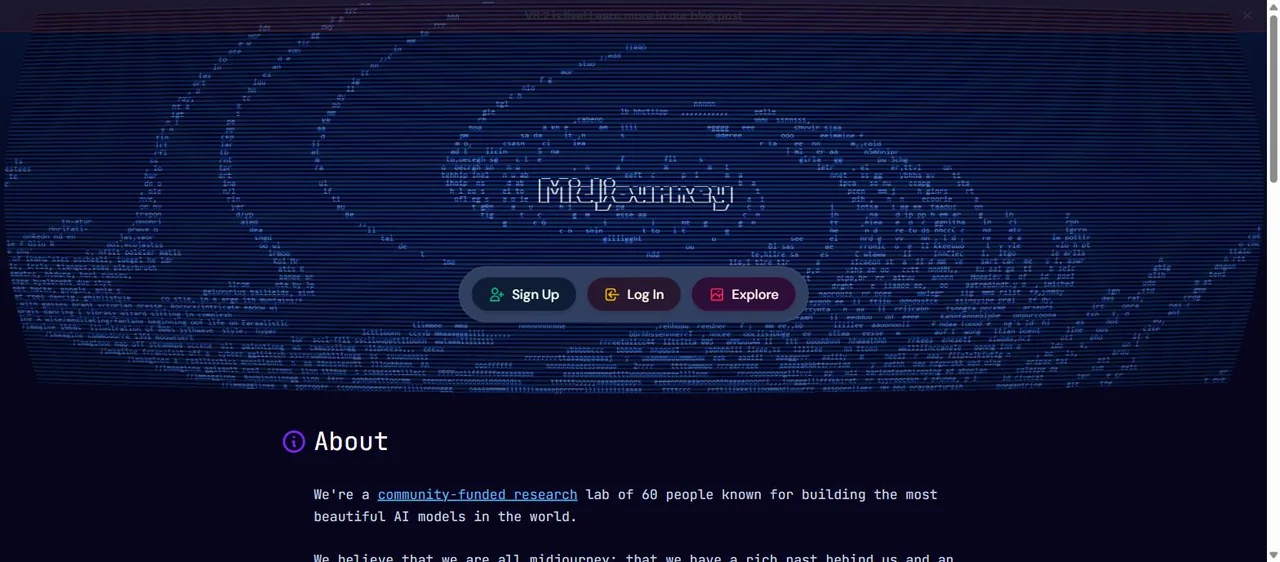
Midjourney
Signed out, the front door is a wall of other people’s prompts and three buttons. The tool is behind the login, and so is the reference feature.
Midjourney’s own site, captured 2 August 2026. The screen, and everything on it, belongs to them and not to us.
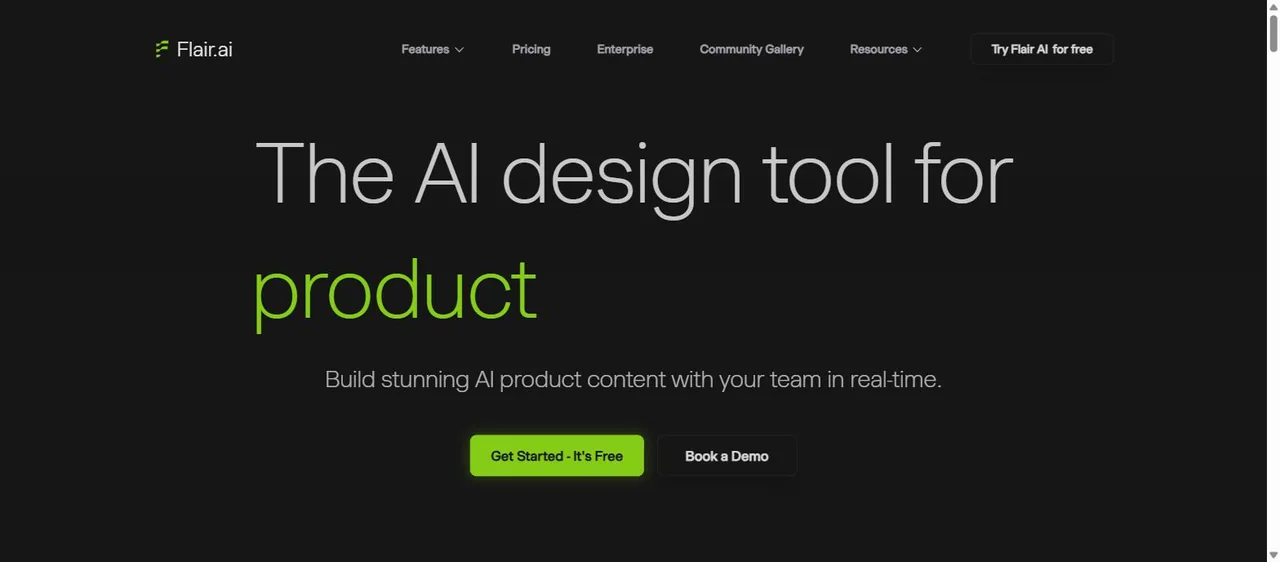
Flair.ai
It calls itself a design tool rather than a generator. “Book a Demo” sitting next to the free trial tells you who it is really sold to.
Flair.ai’s own site, captured 2 August 2026. The screen, and everything on it, belongs to them and not to us.
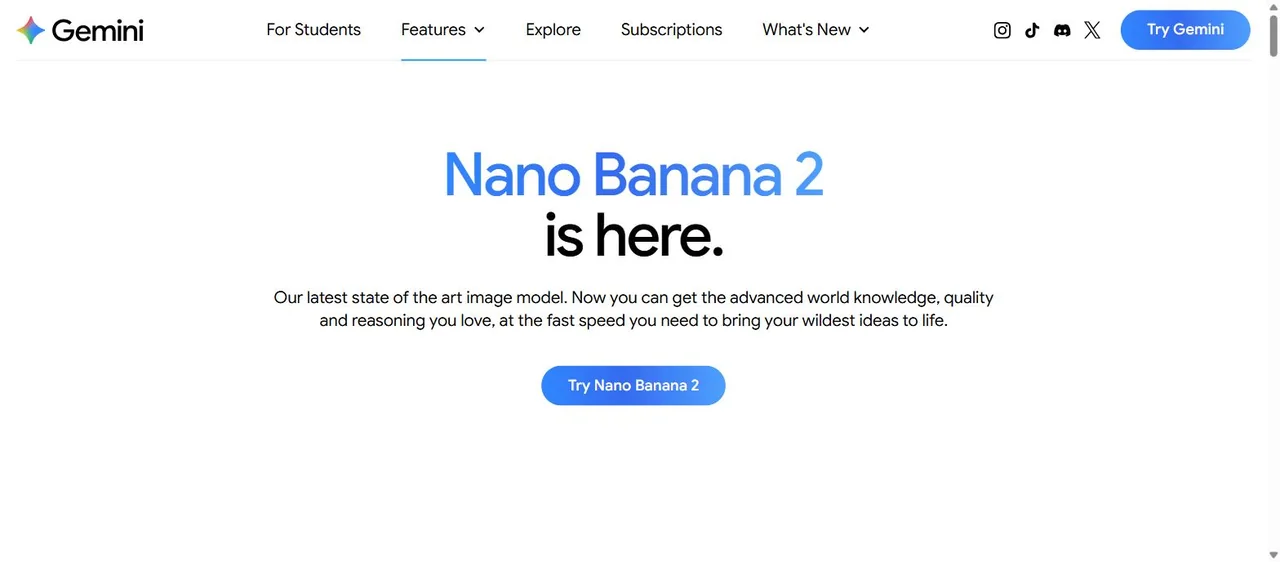
Google Gemini
One model, one button, and no product vocabulary anywhere on the page. You bring the photo and describe the change in a sentence.
Google Gemini’s own site, captured 2 August 2026. The screen, and everything on it, belongs to them and not to us.
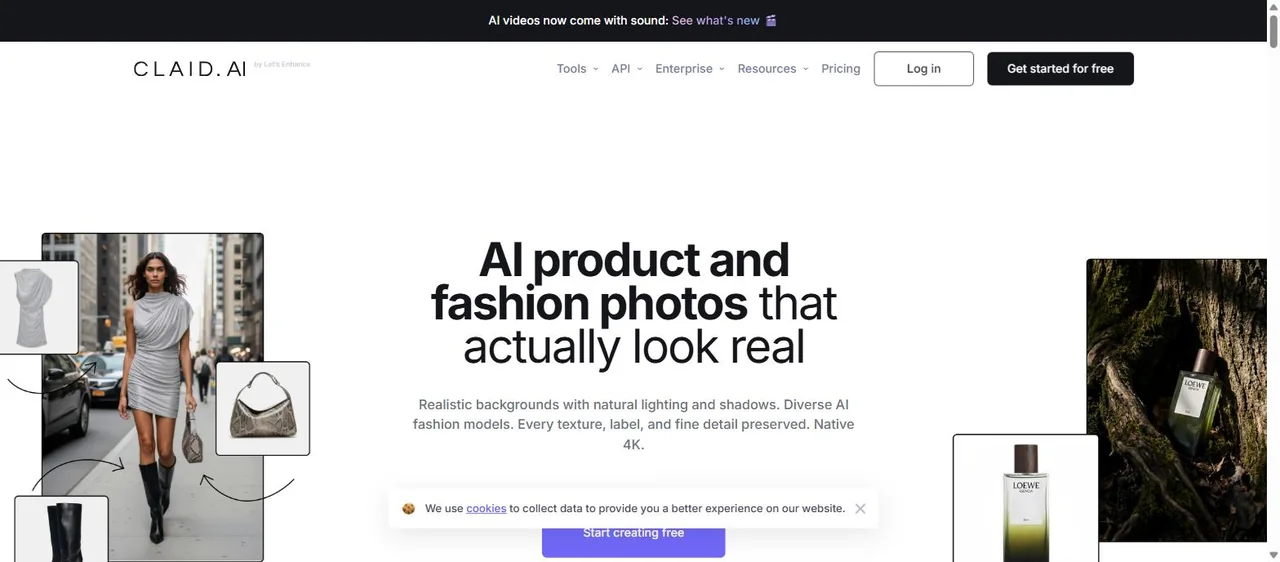
Claid.ai
API and Enterprise sit in the top navigation next to Tools. That is the tell: it is built to be called by a catalogue, not clicked by a seller.
Claid.ai’s own site, captured 2 August 2026. The screen, and everything on it, belongs to them and not to us.
Side by side
The same six, on eight questions.
Midjourney
- Starts from your photo
- As a reference
- Label and logo survive
- Their docs: may not match
- Prompt syntax to learn
- Yes
- Writes the caption
- No
- Built for a whole catalogue
- No
- Sized for the platform
- You set a ratio
- Time to a PUBLISHABLE post
- Iteration, then still yours
- Free tier
- No
Midjourney + a retoucher
- Starts from your photo
- Reference, then fixed by hand
- Label and logo survive
- Yes — a person puts it back
- Prompt syntax to learn
- Yes
- Writes the caption
- No
- Built for a whole catalogue
- No
- Sized for the platform
- You set a ratio
- Time to a PUBLISHABLE post
- Two apps, then still yours
- Free tier
- No
Flair.ai
- Starts from your photo
- Yes — you place the cutout
- Label and logo survive
- Yes — it is your cutout
- Prompt syntax to learn
- No — drag and drop
- Writes the caption
- No
- Built for a whole catalogue
- No
- Sized for the platform
- You set a ratio
- Time to a PUBLISHABLE post
- You art-direct it
- Free tier
- Yes
Google Gemini
- Starts from your photo
- Yes
- Label and logo survive
- Varies by edit
- Prompt syntax to learn
- No — plain sentences
- Writes the caption
- Only if you ask separately
- Built for a whole catalogue
- No
- Sized for the platform
- You ask for one
- Time to a PUBLISHABLE post
- Fast, then still yours
- Free tier
- Yes
Claid.ai
- Starts from your photo
- Yes
- Label and logo survive
- Yes — that is the job
- Prompt syntax to learn
- No — API parameters
- Writes the caption
- No
- Built for a whole catalogue
- Yes
- Sized for the platform
- To your spec
- Time to a PUBLISHABLE post
- Batch, then still yours
- Free tier
- Trial
startposting.
- Starts from your photo
- Yes
- Label and logo survive
- Constrained by a fidelity rule
- Prompt syntax to learn
- No — three questions
- Writes the caption
- Yes
- Built for a whole catalogue
- No
- Sized for the platform
- Automatic
- Time to a PUBLISHABLE post
- Seconds
- Free tier
- 3 posts, no card
Two rows on that table decide this page: what happens to your label, and how long it takes to get from an image to something you can actually publish.
The gap
The gap none of the six closes — except one.
Every route above ends at an image. Then you crop it for the platform, sit with the caption box open, decide whether to open with a question or a claim, work out which hashtags are worth anything this week, and check the tone against the last four posts.
Sellers do not stall on the picture. They stall staring at an empty caption box with a perfectly good image already in it. With Midjourney there is a second clock running before that one even starts — the iteration. You are tuning a weight, re-rolling, comparing four variants and deciding which one has the least wrong label. That is a craft, and it is a good one. It is also not what somebody with eleven products and an empty grid signed up for.
We built the other half. One photo, three questions, and seconds later there is a post — the restyled image sized for the platform you named, a headline, a caption and hashtags. No prompt to engineer, no weight to tune, and editing is a headline tweak rather than another generation.
If the look was what you wanted from Midjourney, stay — we are not going to out-render it and this page is not going to pretend otherwise. If what you wanted was to have posted by Thursday, that is a different tool.
Made with startposting
What startposting. gives you back.
The difference from a prompt generator is where the product comes from. You upload the thing you sell, and the instruction set tells the model that your product takes precedence over the scene we are building around it. Then it returns the image sized for the platform you named, with a headline, a caption and hashtags attached — the part a picture cannot show you in a still.
And the honest limit, because this page is about fidelity. We re-render the scene around your product rather than pasting your original pixels back in, so what comes out is a new image and not a photograph. We measured it on 29 July 2026: eight generations from one photo, zero substitutions of the product. Eight runs from a single photo is a small test and we are not going to describe it as more than that. Dense small print on a label is the case we have not closed. What we will say is that “keep this object” is an instruction in our pipeline, and in a prompt generator it is a dial you hope you set high enough.
Before
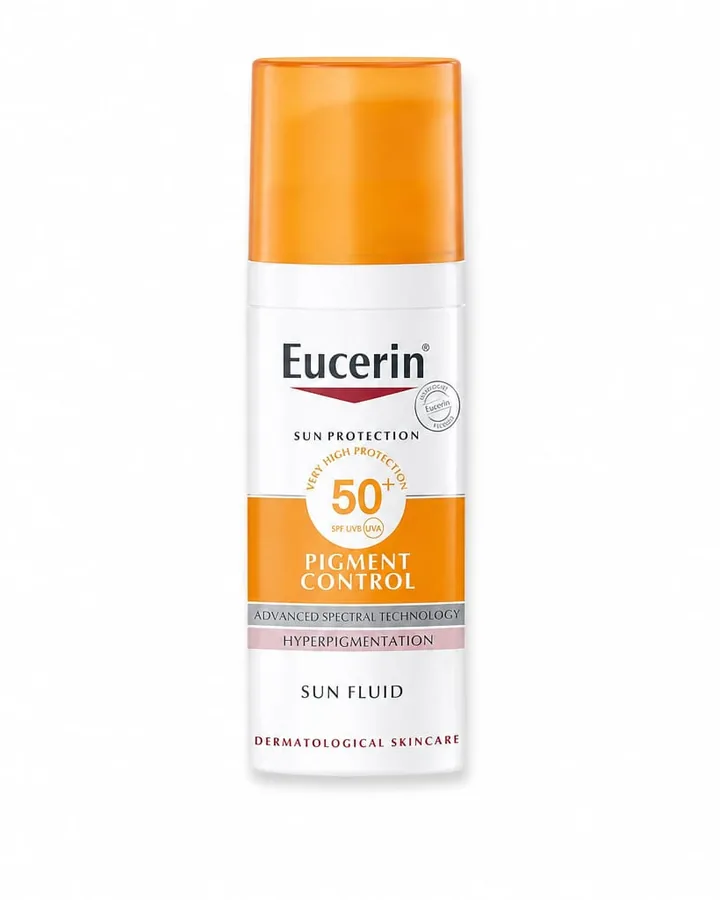
After — ready to post
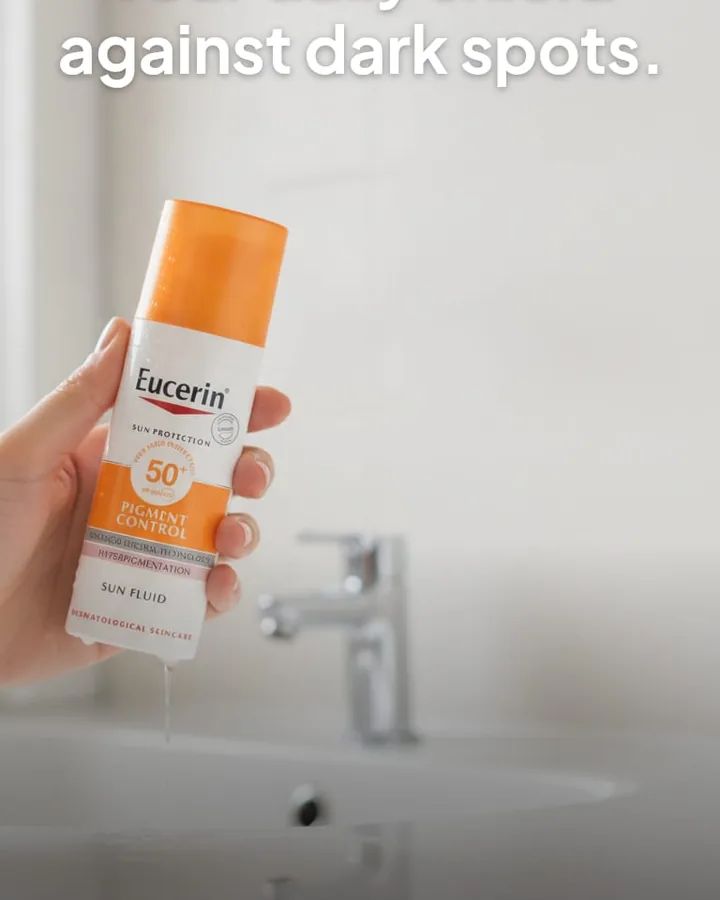
caption + hashtags written with the image — nothing left for you to fill in.
Before
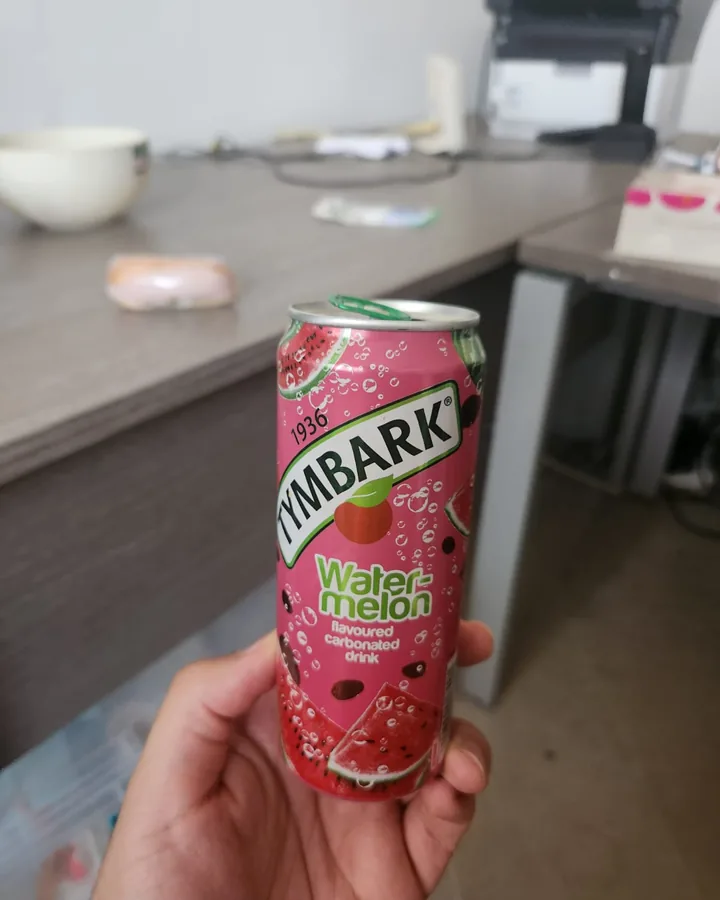
After — ready to post
caption + hashtags written with the image — nothing left for you to fill in.
Try it on the product you have been fighting with in Midjourney — three posts, no card, and you will know in about a minute whether the label survives.
The other answer
When you should just stay on Midjourney.
A page listing six replacements has an obvious incentive not to write this section, so here it is. Stay where you are if:
- you are concepting rather than shipping — mood boards, packaging directions, seeing what a thing could be
- the image is a background, a texture or a scene with no product in it at all, where fidelity is not a question
- the look is the point and you would rather retouch a label than lose the rendering
- your product has no text, no logo and no fine detail — a plain ceramic, a bar of soap, an unbranded candle
- you already know the syntax and 20 minutes of iteration is a pleasure rather than a cost, which for a lot of people it genuinely is
Questions
The things people ask before switching.
Can Midjourney use my actual product photo?
Yes, and any page telling you otherwise has not used it. Omni Reference (--oref) exists for exactly this and its stated purpose is to put objects from a reference image into your creations. Character Reference (--cref) and image weight (--iw) came before it. The question is not whether Midjourney can see your product — it is how faithfully it reproduces it, which is the next question.
Why does my product come back looking almost right?
Because a reference is something to resemble, not something to preserve. Midjourney's own Omni Reference documentation, read on 1 August 2026, says that intricate details like specific freckles or logos on clothing may not perfectly match your reference. Fidelity is also a dial rather than a guarantee: --ow runs from 1 to 1,000 and you tune it. And the feature costs twice the GPU time of a standard generation and does not work in Fast, Draft or Conversational mode, so the most faithful setting is also the slowest and most expensive one.
What is the best Midjourney alternative for product photos?
It depends what you wanted from Midjourney, which is why this page is sorted rather than ranked. If you wanted the look, stay — nothing here matches it. If you want that look with your real label intact, generate with a reference and retouch the label by hand. If you want to art-direct with the genuine product in frame, Flair.ai. If you have a catalogue rather than a post, Claid.ai. If you want a finished post in seconds, that is the one we make.
Is there a free Midjourney alternative for product photos?
Start with the reason you are asking: Midjourney has no free tier at all — every plan is paid, from $10 a month up to $120, read from their published plans documentation on 1 August 2026. Google Gemini does have one, and it starts from your own photo, which makes it the most useful free answer for a seller. One warning worth having: search for a free Midjourney alternative and you will mostly find roundups of free AI art generators — Flux, Leonardo, Stable Diffusion and so on. Those are written for people making images, not for people selling a physical product, and none of them solves the problem that brought you here.
Why not just use Google Gemini or ChatGPT directly?
For a lot of people that is the right answer and it is cheaper than we are. We should say plainly that we are not hiding the ball here: our own AI disclosure page names Google Gemini as the image model behind our results. What you get from us is not a different model, it is everything wrapped around it — an instruction set that tells the model your product takes precedence over the scene, a preset system so you never write a prompt, the platform-correct crop, and the caption. If you enjoy steering a model yourself and sizing your own exports, go direct.
Will my product look exactly like it does in real life?
No tool on this page can promise that, and we will not either. We re-render the scene around your product rather than compositing your original pixels back in, so the result is a new image, not a photograph. What we do is constrain the model to the product you uploaded and give that precedence over everything else in the brief. We measured it on 29 July 2026: eight generations from one photo, zero substitutions of the product. Eight runs from one photo is a small test and we are not going to describe it as more than that. Dense small print on a label is the case we have not yet closed.
Can I use Midjourney and startposting together?
Yes, and it is a sensible pairing. Midjourney for the campaign hero and the mood board, where the look carries the work and accuracy is beside the point. Us for the fifteen posts a month where the product has to be recognisably yours and the caption has to exist by Thursday. They are not competing for the same job.
Does Midjourney have a plan that fixes this?
Not in the way the question hopes. The plans differ on GPU time, concurrency and privacy rather than on how faithfully a reference is reproduced. Omni Reference is a version 7 feature, so being on a higher tier does not change the behaviour described in their documentation — it changes how much of it you can afford to iterate on.
Keep reading
- Best Photoroom alternatives — if an image editor is what you are leaving
- Alternatives to hiring a product photographer — what a shoot really costs
- Best Canva alternatives — sorted by what you actually used Canva for
- startposting vs. Photoroom — the head-to-head, in detail
- How we use AI — what the model does, and what it does not
- How to turn one product photo into a ready-to-publish Instagram post
Try it on one product.
Three posts free, no card.
Start freeMidjourney, Flair.ai, Claid.ai and Google Gemini are trademarks of their respective owners. startposting is not affiliated with, endorsed by, or sponsored by any of them, and earns nothing from any recommendation on this page. Descriptions reflect publicly available information at the date of publication.