The short answer
- You only removed backgroundsPhotoroom. On Canva that button is a $18/mo Pro feature.
- Product photos for your shopPixelcut.
- Templates and print, cheaperAdobe Express — and it schedules.
- Real design control and collaborationFigma.
- Presentations and documentsVisme.
- Social posts for your own productsstartposting — seconds, caption included. That is the one we make.
Show the working
How we picked — the criteria, stated first.
Most lists like this one are written by a company that appears at number one on it, and almost none of them say what the ranking was for. Here are our rules, before the list they produced.
- Sorted by the job, not ranked. Canva does a dozen unrelated things. Which replacement is right depends entirely on which of them you used — a single ordering would be a claim you could not check.
- We appear once. In the one slot we actually win. Five of the six jobs here have somebody else's name against them.
- No prices we did not verify ourselves. Canva's figures were read from its own pricing page from a US connection on 28 July 2026. Where we did not read a number ourselves, we describe the structure instead of inventing one.
- Nothing dead, nothing fading. Every tool here was verified as actively maintained in July 2026.
- No affiliate links, and no links out at all. We earn nothing if you pick one of these, and we do not link to any of them. Search the name.
The honest premise
Why people actually leave Canva.
Rarely because it is bad. Canva is well reviewed on the major platforms, its template library runs past 1.6 million, and around six million teams use it. Published complaints on G2 and Capterra cluster around price rises and AI-credit metering, not around the product being poor.
What actually happens is quieter. You open your Canva account, scroll the design history, and realise it is four hundred Instagram posts for your own products and one flyer from 2024. You are renting a general-purpose design suite to do one repetitive job — and doing the design work yourself every single time.
Three specifics that sharpen it, all read from Canva’s own US pricing page on 28 July 2026:
- The background remover is a Pro feature at $18/mo. If it is the only Pro feature you touch, that is $216 a year for one button.
- Scheduling is Pro as well — the free tier does not publish anything.
- Real collaboration and brand kits are the Business tier at $25 per person per month.
- The free tier is generous and most small sellers never leave it — which means most of this page is about whether the paid tier was ever the right purchase.
The shortlist
The six, by what you used it for.
You used it to remove backgrounds. That is it.
Photoroom
By far the most common answer, and the most annoying one, because on Canva the background remover is a Pro feature at $18 a month. If that single button is what you have been paying for, a specialist does it better and its free tier does not gate the cutout the way Canva's does.
- Where it wins
- The cutout is the category benchmark. Nothing else here is close on hair, fabric edges or transparent packaging.
- What it costs
- Free tier is watermarked and not licensed for commercial use; paid tiers are billed yearly.
You used it for product photos for your shop
Pixelcut
Purpose-built for sellers rather than designers: cutouts, AI product shots and resizing in one mobile-first app. If your Canva usage was ninety per cent product images and ten per cent everything else, this is the swap that stops you paying for the ninety you never touch.
- Where it wins
- Mobile-first and seller-shaped. You can shoot and finish standing at the stall.
- What it costs
- Credit-metered, with a usable free tier.
You used the templates and the print output
Adobe Express
The closest like-for-like design suite: templates, print formats, brand assets and a basic scheduler, with Firefly generation behind it. The reason to pick it over the others is provenance — Adobe trains on licensed material and says so, which some brands and marketplaces care about.
- Where it wins
- Breadth plus a licensing story, and it schedules — which most tools on this page do not.
- What it costs
- Free tier, then a credit allowance on the paid plan.
You wanted real design control and proper collaboration
Figma
The honest answer for anyone who outgrew Canva rather than tired of it. Vector-native, precise, and built for more than one person working at once. It is a steeper tool and it will not hand you a birthday-card template — but if you were fighting Canva's constraints, that is the direction out.
- Where it wins
- Control and collaboration. Canva's Business tier is $25 per person per month for a weaker version of this.
- What it costs
- Free tier for individuals; the paid Professional plan is around $20 per editor per month.
You used it for presentations, reports and documents
Visme
A narrower tool than Canva and better inside its lane: decks, infographics, data visualisation and branded documents. If most of your Canva files are slides rather than social posts, you are paying a social-design tool to do a job something else does properly.
- Where it wins
- Data and document work. Charts that are actually charts, not shapes arranged to look like one.
- What it costs
- Free tier with export limits; paid plans per user.
You only ever made social posts for your own products
startposting.
If your Canva history is a long scroll of Instagram posts for the things you sell, you were using a design suite to do one repetitive job — and doing the design work yourself every time. One real product photo in; seconds later out comes the restyled image with a headline, a caption for the platform you named, and hashtags. No template to pick, no prompt to write, no canvas to open.
- Where it wins
- It finishes the post, not the picture — and it takes seconds rather than the fifteen to thirty minutes a Canva post costs you.
- What it costs
- 3 posts free, no card. Paid plans are metered in posts, and unused posts never expire.
Their screens, not ours
What each one actually looks like.
Captured from each company’s own public site on the date shown, in an ordinary desktop browser window. Nothing in any frame is edited, staged or cropped — scrollbar and cookie notice included — and the only change is a uniform scale-down so they fit on this page. We are not affiliated with any of them and we do not link to them — the point is only that the shape of the tool is the argument this page is making.
Photoroom
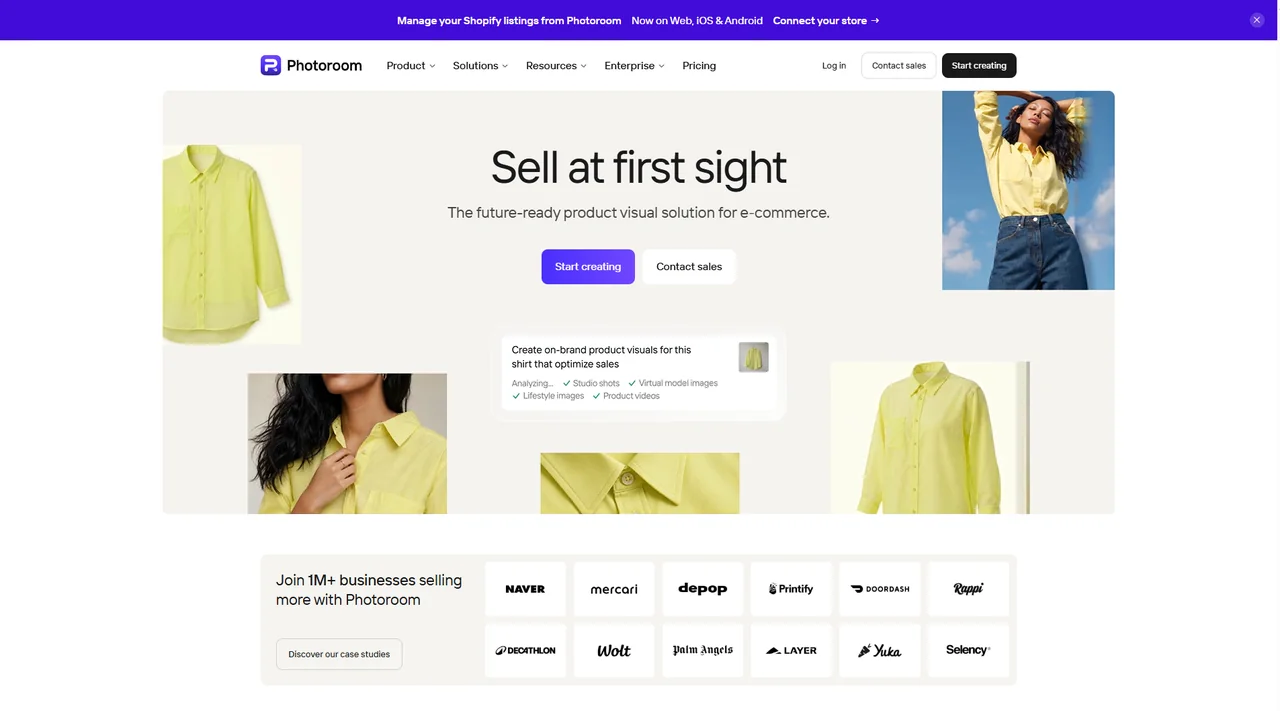
Every word on the page is about selling — a Shopify banner across the top, marketplace logos underneath. It is not trying to be a design tool.
Photoroom’s own site, captured 2 August 2026. The screen, and everything on it, belongs to them and not to us.
Pixelcut
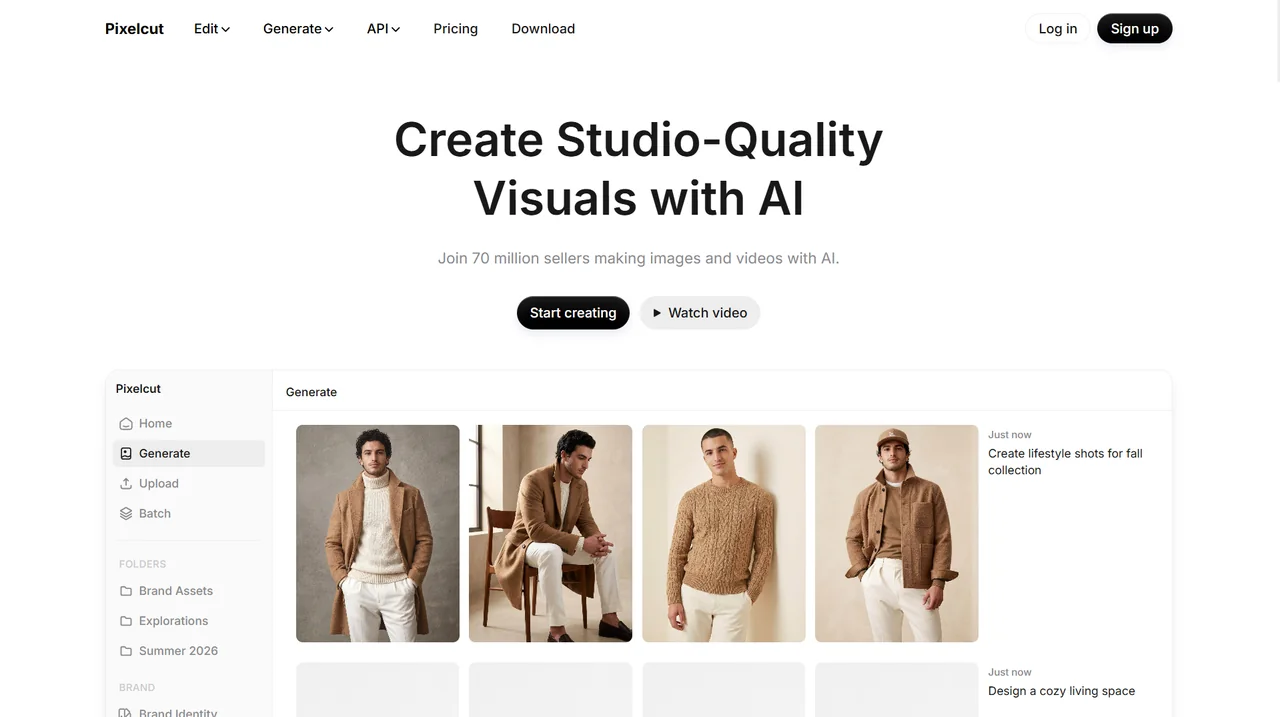
The front page is the app itself, with Generate, Upload and Batch down one side. A machine for making the image, not a canvas for arranging one.
Pixelcut’s own site, captured 2 August 2026. The screen, and everything on it, belongs to them and not to us.
Adobe Express
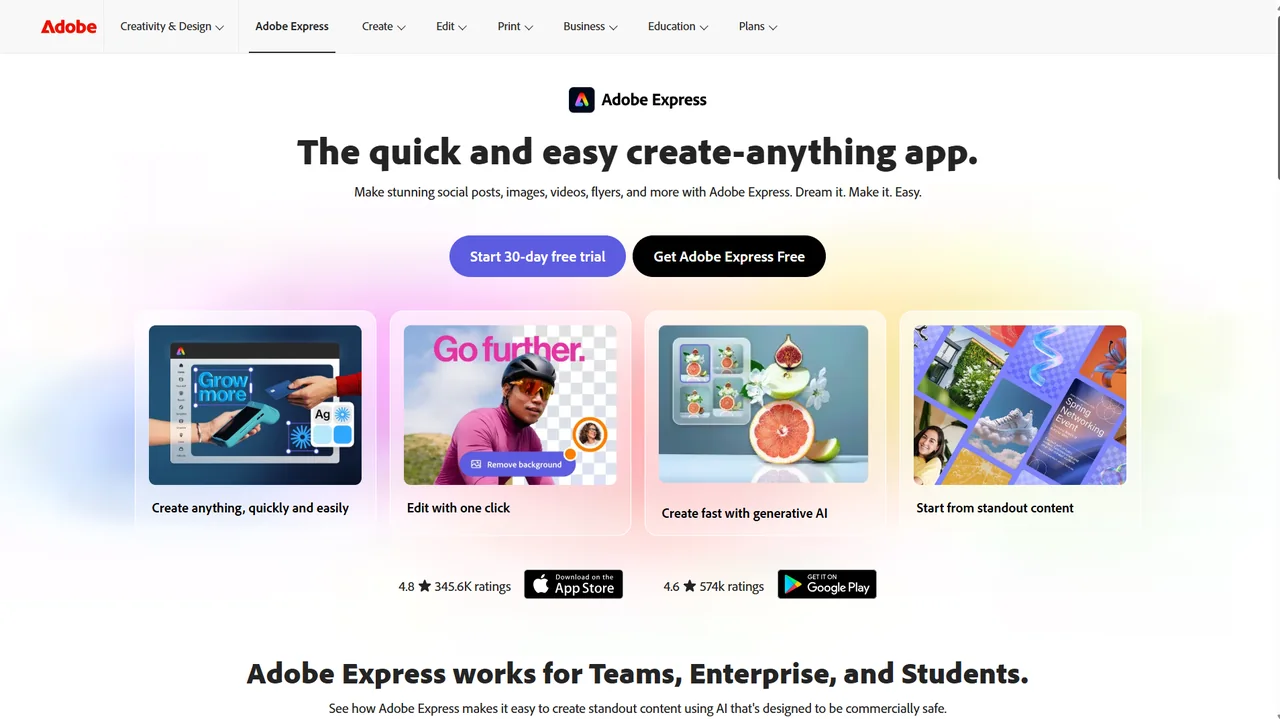
“Create-anything” is the pitch, and the full Adobe navigation sits above it. You are stepping into a suite, which is the thing you were leaving.
Adobe Express’s own site, captured 2 August 2026. The screen, and everything on it, belongs to them and not to us.
Visme
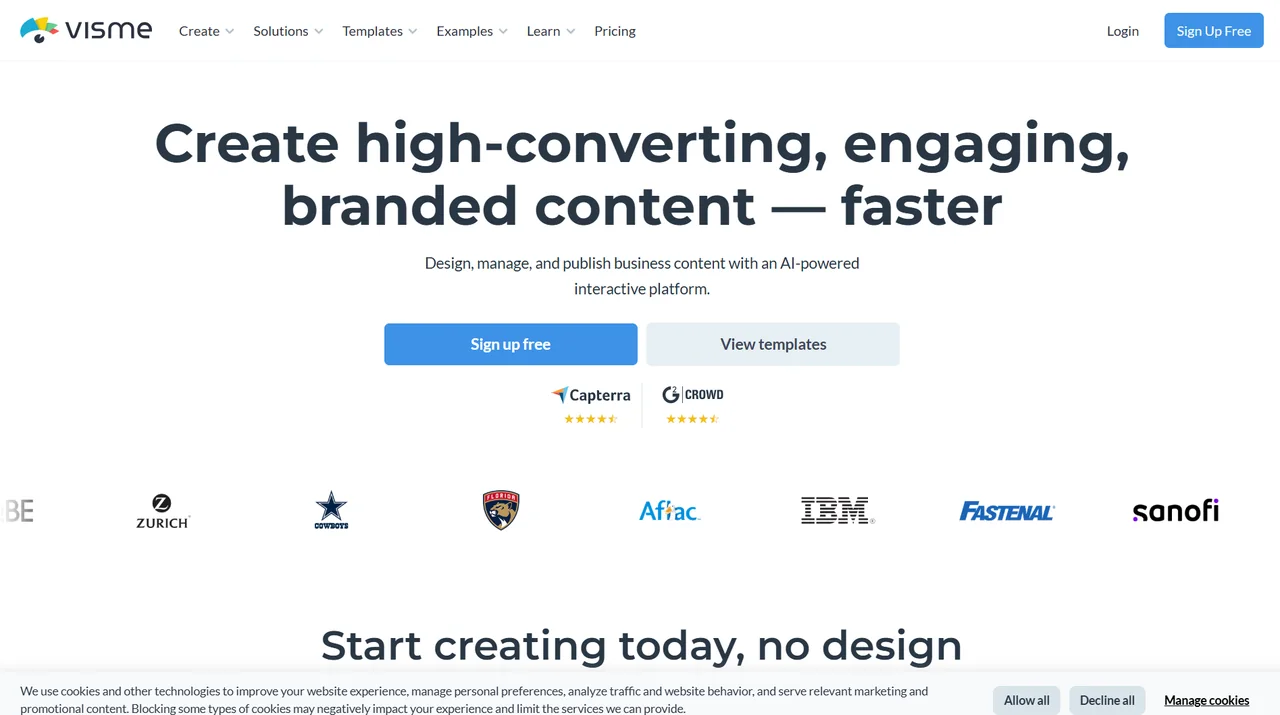
Business content sold to businesses, with Zurich, IBM and Sanofi along the bottom. Strong on decks and documents; a product photo is not the job.
Visme’s own site, captured 2 August 2026. The screen, and everything on it, belongs to them and not to us.
Side by side
The same six, on seven questions.
Photoroom
- Removes backgrounds
- Yes — best here
- Templates and print
- No
- Writes the caption
- No
- Multi-person collaboration
- No
- Schedules and publishes
- No
- Time to a publishable post
- Image only
- Free tier you can actually work in
- Watermarked
Pixelcut
- Removes backgrounds
- Yes
- Templates and print
- No
- Writes the caption
- No
- Multi-person collaboration
- No
- Schedules and publishes
- No
- Time to a publishable post
- Image only
- Free tier you can actually work in
- Yes
Adobe Express
- Removes backgrounds
- Yes
- Templates and print
- Yes
- Writes the caption
- No
- Multi-person collaboration
- Limited
- Schedules and publishes
- Yes
- Time to a publishable post
- 10–20 min
- Free tier you can actually work in
- Yes
Figma
- Removes backgrounds
- Manual
- Templates and print
- No
- Writes the caption
- No
- Multi-person collaboration
- Yes — best here
- Schedules and publishes
- No
- Time to a publishable post
- You are designing
- Free tier you can actually work in
- Yes
Visme
- Removes backgrounds
- Yes
- Templates and print
- Yes
- Writes the caption
- No
- Multi-person collaboration
- Yes
- Schedules and publishes
- No
- Time to a publishable post
- Not its job
- Free tier you can actually work in
- Export limits
startposting.
- Removes backgrounds
- Yes
- Templates and print
- No
- Writes the caption
- Yes
- Multi-person collaboration
- No
- Schedules and publishes
- No
- Time to a publishable post
- Seconds
- Free tier you can actually work in
- 3 posts, no card
The gap
The one Canva job nobody on this list replaced.
Look down the caption row of that table. Five “no”s and one “yes”. Every tool here — Canva included — hands you a finished image and leaves you with an empty caption box.
That is where the fifteen to thirty minutes per Canva post actually goes. Not to the picture. To picking a template, placing the product, matching the colours, deciding when it looks finished, resizing it for the second platform — and then still writing the words. Swapping Canva for another editor moves that work; it does not remove it.
We built the other half, and the reason it matters is time: image, headline, caption and hashtags come back together, in seconds, from three questions — no prompt to write, nothing to lay out, and editing is a headline tweak rather than a design session. If you enjoy the design part, that is a real reason to stay on Canva and we would not argue you out of it.
Made with startposting
What startposting. gives you back.
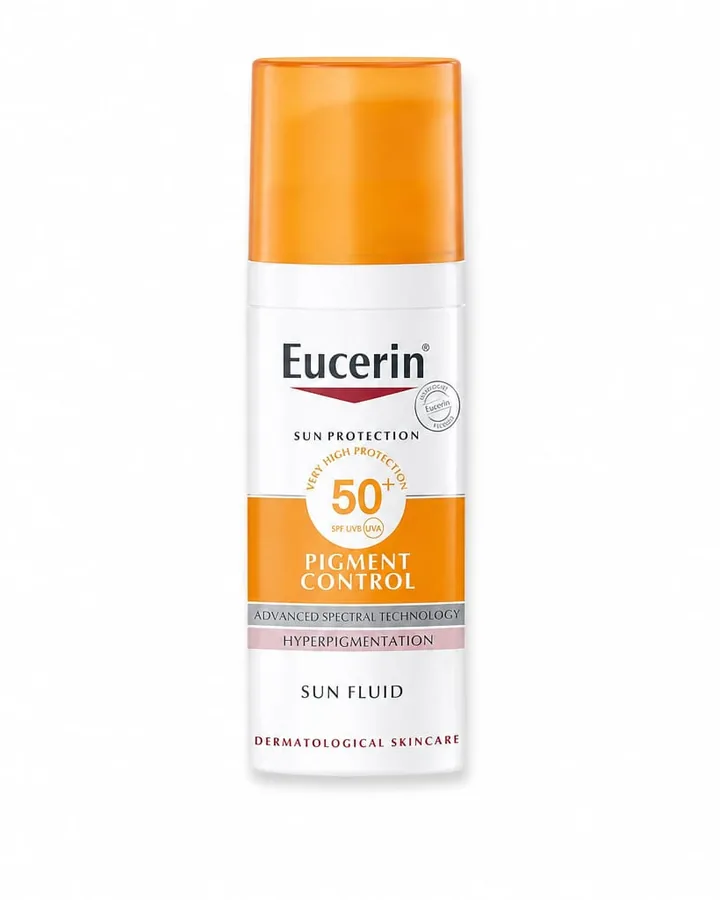
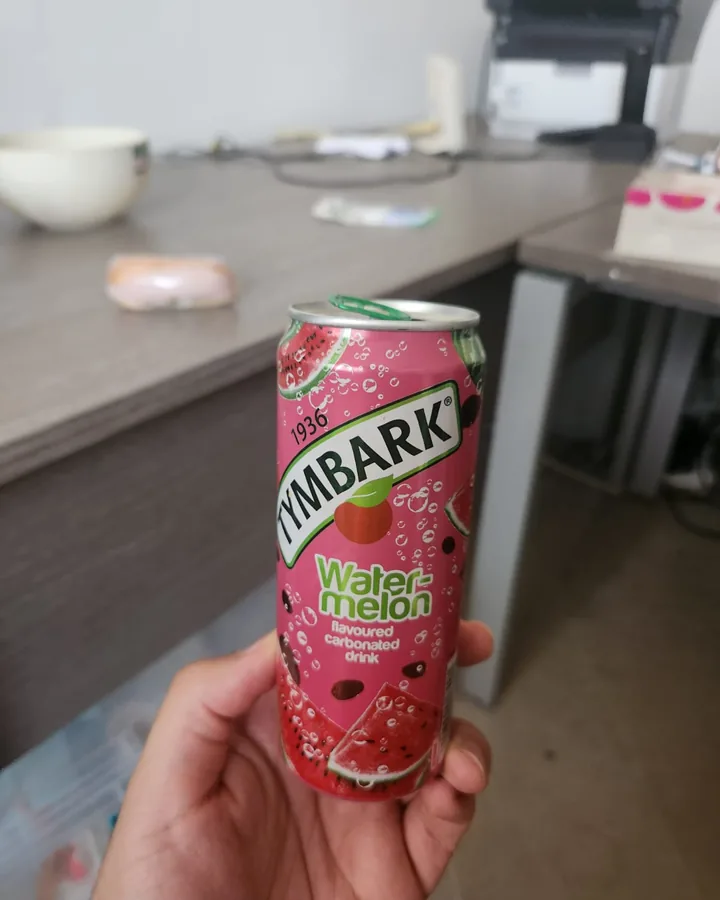
Unedited output from our own tool, not stock and not a mock-up — a seller’s real photo on the left, what startposting. sent back on the right. Each one took seconds and no prompt: three questions, and this came back. The product in the finished frame is the same object that went in — we restyle the scene around it rather than generating a new one, which is why the labels still read correctly.
Before
After — ready to post

caption + hashtags written with the image — nothing left for you to fill in.
Before
After — ready to post
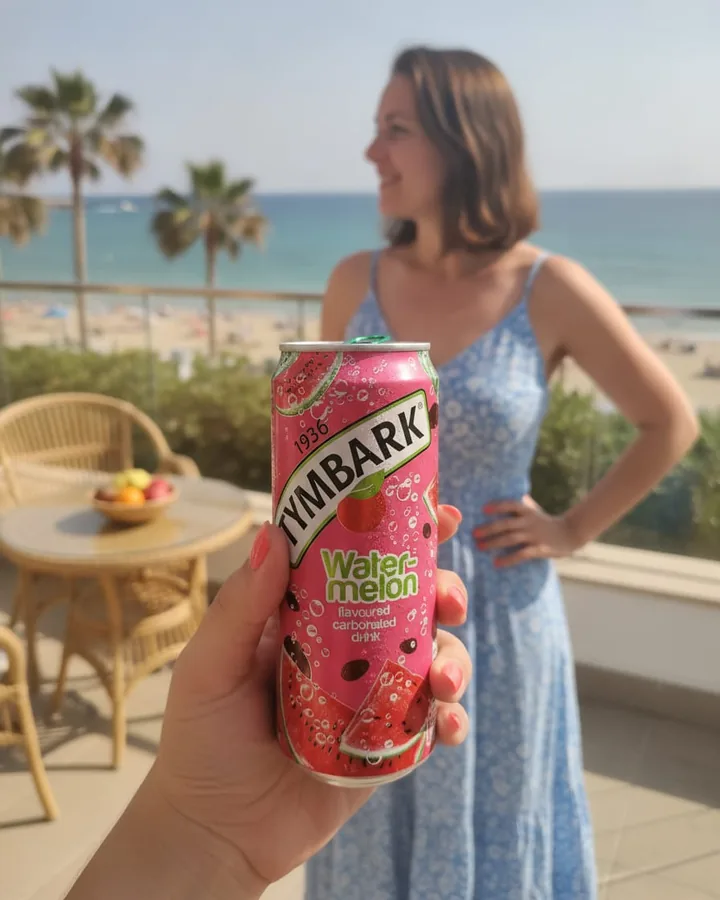
caption + hashtags written with the image — nothing left for you to fill in.
The other answer
When you should just stay on Canva.
A page listing six replacements has every incentive not to write this section. Stay where you are if:
- you genuinely use the breadth — print, packaging, presentations, video and social from one account. Nothing on this list replaces all of that, and leaving will cost you more than it saves
- you are on the free tier and it covers you, in which case there is no bill to escape
- someone else works in your account and the shared brand kit is doing real work
- you like designing. That is not a small thing — half of what makes a tool right is whether the work feels like work
- your bottleneck is ideas rather than execution. No tool on this page fixes that, ours included
Questions
The things people ask before switching.
What is the best free Canva alternative?
It depends what you used Canva for, which is the whole point of this page. For product photos, Pixelcut has a genuinely usable free tier. For design work, Figma's free plan is more capable than Canva's. For social posts for your own products, we give you three free with no card. There is no single answer and anyone giving you one has not asked what you were doing.
Is there anything that does everything Canva does?
Adobe Express comes closest, and it is still narrower. That is worth sitting with: Canva's breadth is real and it is why most people stay. If you genuinely use presentations, print, video and social from one account, leaving will cost you more than it saves. Most people do not — they use one corner of it and pay for the rest.
Why is Canva's background remover behind a paywall?
It is a Pro feature at $18 a month, verified from Canva's own US pricing page on 28 July 2026. That single button is the most common reason people on this page are here. If it is the only Pro feature you use, you are paying $216 a year for a cutout.
Is Canva bad?
No, and a page that told you otherwise would be selling rather than comparing. It is well reviewed on the major platforms, its template library is enormous, and for a small business with mixed design needs it is a reasonable default. The recurring complaints in published reviews are about price rises and AI-credit metering, not about the product being poor.
I only make Instagram posts for my products. What should I use?
That is the case we built for, so treat this answer as interested. Canva will do it in fifteen to thirty minutes per post because you are doing the design work — picking a template, placing the product, matching colours, deciding when it looks finished — and then still writing the caption. We return the image, headline, caption and hashtags together in seconds from three questions. If you enjoy the design part, stay on Canva.
Does startposting replace Canva?
No. It replaces the twenty minutes you spend in Canva making one product post. Print, packaging, presentations, collaboration and scheduling are all things Canva does and we do not do at all. Most sellers should keep a free Canva account alongside.
Which of these can schedule posts?
Adobe Express, and Canva itself on the Pro tier. None of the product-photo tools on this list schedule, including us. If publishing automatically is the feature you cannot lose, that narrows this page to one row.
What is the best Canva alternative for a Shopify or DTC brand?
Pick by the job you open Canva for. For clean product images, Photoroom or Pixelcut. For finished social posts made from your product photos, with the caption and hashtags written, startposting. For packaging, print and everything that is not a post, keep Canva. Every tool on this page works from photos you already have, so none of them needs to be connected to your store to be useful.
Keep reading
Try it on one product.
Three posts free, no card.
Start freeCanva, Photoroom, Pixelcut, Adobe Express, Figma and Visme are trademarks of their respective owners. startposting is not affiliated with, endorsed by, or sponsored by any of them, and earns nothing from any recommendation on this page. Descriptions reflect publicly available information at the date of publication.