startposting vs. ChatGPT for product posts
ChatGPT can take your product photo, restyle it and write a caption. It is good at it, and many owners already pay for it. startposting does the same job without the conversation: three choices in, a finished post out, sized and captioned. This page is about which of those two ways suits the way you work.
Last updated 17 September 2026. ChatGPT features read from OpenAI’s own ChatGPT Images 2.5 announcement and its public pricing page on 16 September 2026, from a US connection.
Start free — 3 posts, no cardstartposting.
ChatGPT
The short answer
Choose ChatGPT if you already pay for it, you like directing an image by conversation, or you want one tool for writing, planning and images together.
Choose startposting if you post product photos every week and want the same finished result each time — image, headline, captions, call to action and hashtags, sized for the placement — without writing a prompt.
The real difference is not the image model. Both re-render your photo with AI, and both need checking. It is who does the directing: you, in a chat, or three choices in a tool built for this one job.
Definitions first
What each one actually is.
ChatGPT
OpenAI’s general assistant. It writes, researches, plans and, since its image tools arrived, makes and edits pictures. On 8 September 2026 OpenAI released ChatGPT Images 2.5 to every plan, describing it as better at “editing only what you’ve asked for” and at keeping instructions across a long conversation, with faster generation. Simon Willison’s write-up covers the release and the two new image models behind it.
For a product post, you upload the photo, describe the scene, ask for the size and ask for a caption. It is flexible, and every step is yours to direct.
startposting.
Does one job. You upload a product photo and make three choices — where the post is going, what vibe you want, what the post is for. You get back the image, a headline, a short and a long caption, a call to action and hashtags, sized for that placement.
The image is made by AI (Google’s Gemini model) and it is not a photograph. It starts from your photo, and the model is held to your product while the scene changes. You check it before you post.
Side by side
Compared on the job, not the model.
What it is
- startposting.
- A post maker for product photos
- ChatGPT
- A general assistant that also makes images
What you have to write
- startposting.
- Nothing — three choices
- ChatGPT
- A prompt, then follow-ups
Starts from your product photo
- startposting.
- Yes
- ChatGPT
- Yes — you upload it to the chat
Can alter small product details
- startposting.
- Yes — check before you post
- ChatGPT
- Yes — check before you post
Caption bundle
- startposting.
- Headline, short and long caption, call to action, hashtags — every time
- ChatGPT
- Whatever you ask for, in the same chat
Sized for the placement
- startposting.
- Pick the placement, it is sized for it
- ChatGPT
- Ask for the ratio you need
Text on the image
- startposting.
- An editable layer — change it without regenerating
- ChatGPT
- Part of the picture — changing it is another edit
Reusing a look next week
- startposting.
- Save it as a preset
- ChatGPT
- Reuse your prompt or the old chat
Your logo on the post
- startposting.
- Placed from your saved logos, never sent to the image model
- ChatGPT
- Upload it and describe where it goes
Talk it through, edit by conversation
- startposting.
- No — generate another
- ChatGPT
- Yes — its core strength
Everything that is not a product post
- startposting.
- No
- ChatGPT
- Writing, research, planning, and more
Unused allowance
- startposting.
- Posts never expire
- ChatGPT
- Plan limits reset; image limits are not published for most plans
Free tier
- startposting.
- 3 posts, no card
- ChatGPT
- Yes, with limited image generation
Read plainly: ChatGPT does far more than we do, and we remove the directing from the one job we do.
Method
How we compared them.
We are one side of this comparison, so here is what the claims rest on.
- ChatGPT's features were read from OpenAI's own ChatGPT Images 2.5 announcement (8 September 2026) and its public pricing page on 16 September 2026. We do not link to them, and we do not quote their prices: the pricing page we read names the plans and their image allowances but did not display prices to us.
- Image limits are not published by OpenAI for most plans. A third-party guide collecting user reports says as much; treat any number you see elsewhere as an estimate.
- Nothing here claims a better image model. We did not run a head-to-head on image quality, and ChatGPT's image tools changed eight days before this page was written. The comparison is about the workflow around the image.
- Every image on this page is a real output of our own product. None is stock, and none was made in ChatGPT.
Source for the image-limit note: a 2026 guide to ChatGPT image limits by plan.
The time cost
The prompt is the work.
A published 2026 walkthrough of product photos in ChatGPT puts the whole thing at about sixty seconds, and that is fair for one image. Its own workflow is also a good list of what the seller does in those sixty seconds: upload the photos, give the style direction, review the result, ask for adjustments, download for the platform.
For a finished product post, the list is longer:
- 1Describing the scene — the surface, the light, the mood, the props — in words, every time.
- 2Asking for the size — a square feed post, a tall story, a pin — and asking again for each placement.
- 3Asking for the caption — and the hook, the call to action and the hashtags, in the tone of the image.
- 4Changing the words on the image — which means another edit, because the text is part of the picture.
- 5Starting again next week — from the old chat, a saved prompt, or memory.
None of those steps is hard. Together they are the part of the job a busy owner skips, which is why the feed goes quiet. In startposting. they are three choices, and the look you liked can be saved as a preset for next week.
Made with startposting
What startposting. gives you back.
Left is what the seller uploaded. Right is what startposting. sent back: image, headline and caption together, from three choices and no prompt. Real outputs from our own tool. The images are made by AI and they are not photographs; they started from the seller’s own photo of the product.
Before
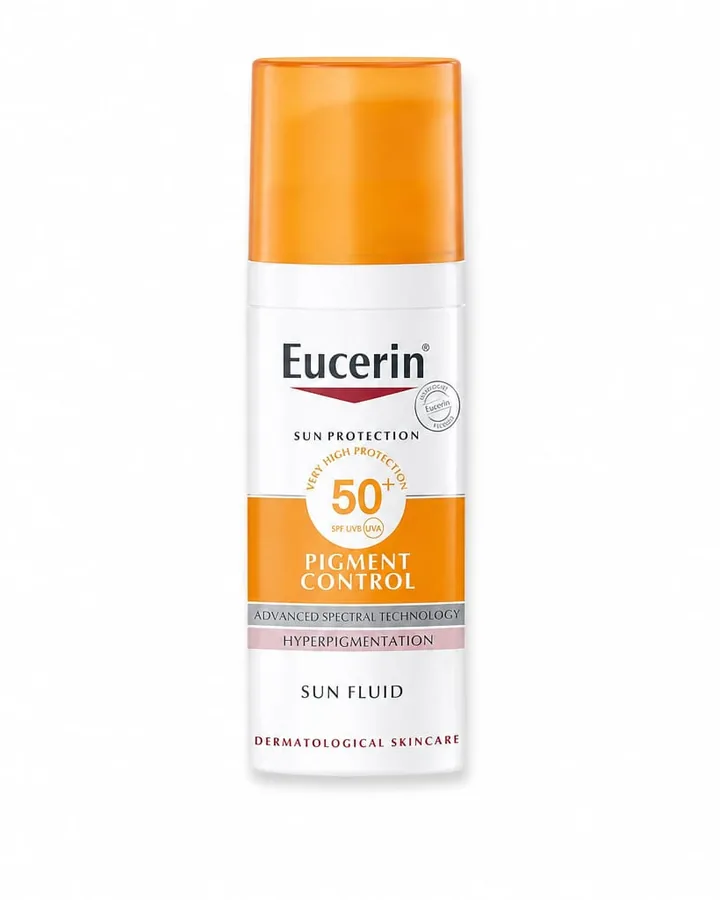
After — ready to post
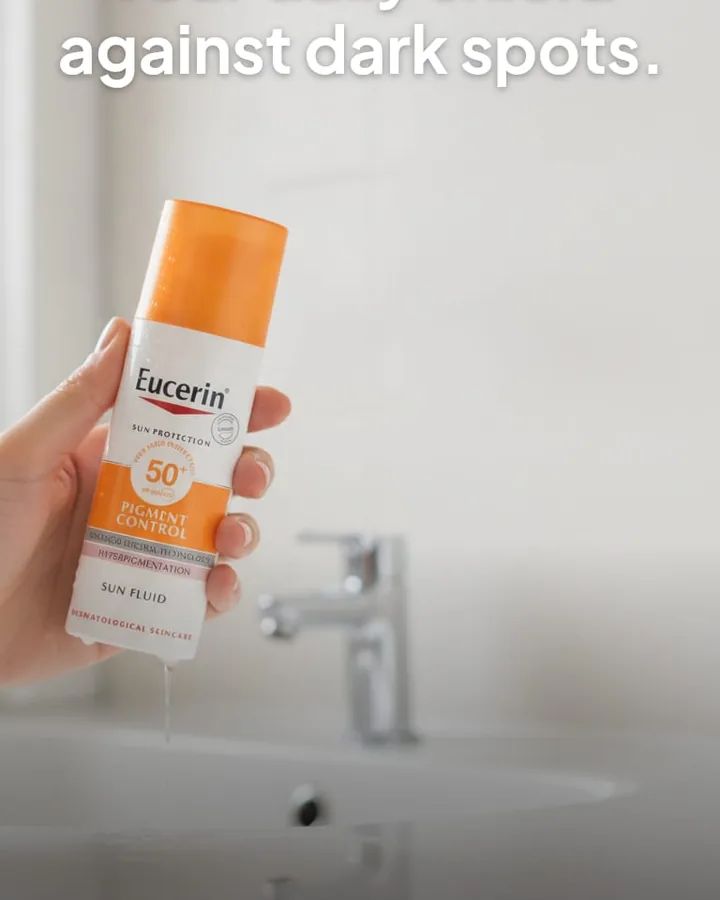
caption + hashtags written with the image — nothing left for you to fill in.
Before
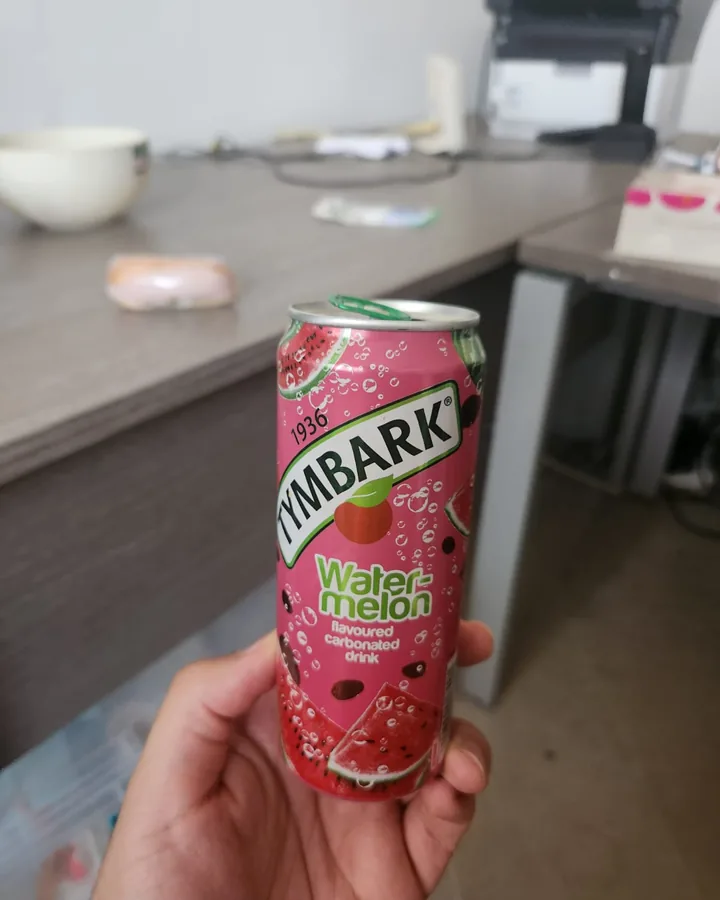
After — ready to post
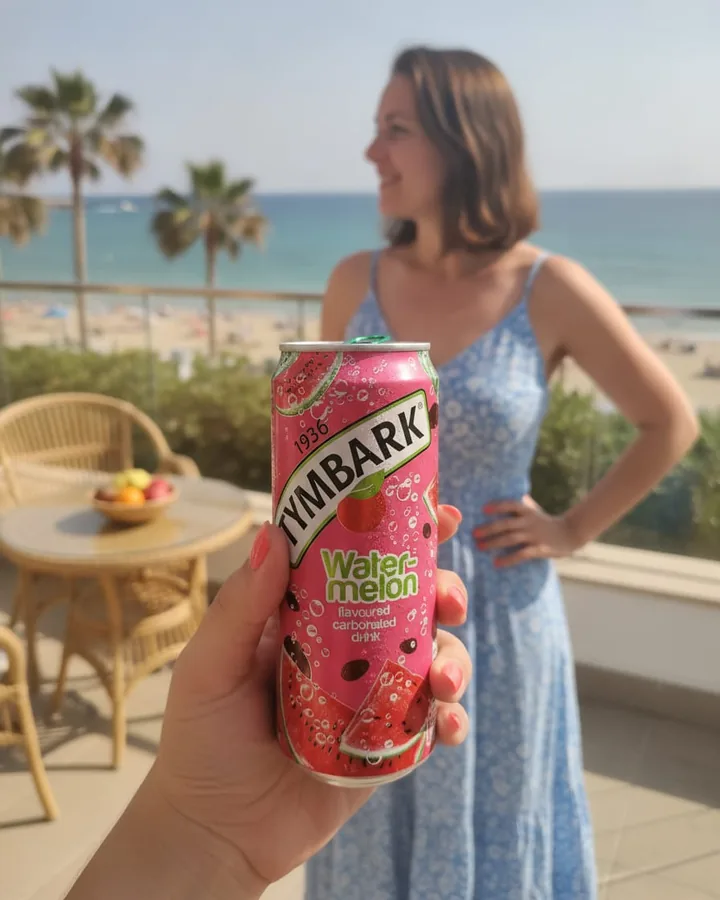
caption + hashtags written with the image — nothing left for you to fill in.
Your first three posts are free, and you do not need a card to see one.
Start free — 3 posts, no cardThe honest part about AI
Will either one change your product?
Both can. Any AI image model re-renders the picture it is given. The same 2026 walkthrough is direct about it: AI “might alter logos, shapes, text, product features, materials, numbers, colours, or small design elements”, and the final image “should still represent the product honestly.”
OpenAI says Images 2.5 is better at changing only what you ask for. We hold our model to your product’s shape, label and colours while it restyles the scene. Neither of those is a guarantee, and we will not pretend otherwise.
So the rule is the same in both tools: read the label, check the colours, and do not post an image that shows your product doing something it does not do.
The honest part
Where ChatGPT is genuinely better.
You may already pay for it
If ChatGPT is already in your budget, a second subscription has to earn its place. That is a fair objection.
Editing by conversation
Ask for more light, a different prop, a warmer background, and keep going in the same chat. We do not do that — you generate another post instead.
It does everything else too
Campaign ideas, product descriptions, emails, a content calendar. We make product posts and nothing else.
Freedom of direction
If you have a precise picture in your head, you can describe it. Our three choices trade that freedom for speed.
A newer image tool, every few months
OpenAI shipped Images 2.5 on 8 September 2026, with faster generation and better editing. The pace is real.
A free tier
ChatGPT's free plan includes limited image generation. Our free tier is three posts.
The obvious next question
What about Gemini?
We run on Google’s Gemini image model, so it is fair to ask why you would not use Gemini yourself. For a single image, you can. The Gemini app edits an uploaded photo, changes the scene and the light, resizes for different formats, and has a free tier.
The work around the image is the same as in ChatGPT: you write the prompt, ask for the size, ask for the caption, the call to action and the hashtags, and start again next week. That is the part startposting. replaces. The model is the engine; the three choices, the caption bundle, the editable text and the saved presets are the product.
Both carry a marker. Google’s own help pages say every image created or edited in the Gemini app includes an invisible SynthID watermark, and the app can also add a visible one depending on your settings and country. Google’s developer documentation says every image its API generates carries SynthID too — so the images you make with startposting. carry it as well. We think that is right: AI images should be identifiable.
Read from Google’s Gemini Apps help and Gemini API documentation on 17 September 2026. Plans and limits change; check Google’s pages for your country.
Pricing
What each one costs.
ChatGPT
- Free
- — limited, slower image generation
- Go, Plus
- — more image creation, per their pricing page
- Pro
- — unlimited and faster image creation, per their pricing page
Read on 16 September 2026. Check their page for current prices in your country.
startposting.
- Free
- — 3 posts, no card
- Pro
- — $14/mo, 30 posts
- Seller
- — $29/mo, 100 posts
They are priced for different things. ChatGPT is one subscription for a general assistant. We charge per finished product post, captions included, and unused posts never expire. If a generation fails, the post comes back to your balance automatically.
The decision
Which one should you use.
Use ChatGPT if
- you already pay for it and it covers your posts
- you enjoy directing an image in conversation
- you post a product now and then, not every week
- you want one tool for writing, planning and images
- you have a precise scene in mind
Use startposting. if
- you post product photos several times a week
- you want the caption, call to action and hashtags every time without asking
- you want to change the headline without regenerating the image
- you want a look you can save and reuse
- writing prompts is the step you skip
Not either/or
Plenty of owners will use both.
ChatGPT for the thinking — campaign ideas, launch plans, product descriptions, the email that goes with the post.
startposting for the weekly product posts themselves — photo in, finished post out.
Neither one publishes for you. That part stays with you or your scheduler.
Questions
The things people ask before choosing.
Can ChatGPT make product photos for Instagram?
Yes. You can upload a product photo to ChatGPT, describe the scene you want, and ask for an Instagram-ready image and a caption. OpenAI released ChatGPT Images 2.5 on 8 September 2026 and says it is better at editing only what you asked for. What you still do yourself is write the prompt, ask for the size, ask for the caption and hashtags, and check the product details before posting.
What is the difference between startposting and ChatGPT?
ChatGPT is a general assistant you direct with prompts. startposting does one job: you upload a product photo, choose where it is going, the vibe and the goal, and you get back the image, a headline, two captions, a call to action and hashtags, sized for that placement. No prompt to write, and the text on the image stays editable.
Does ChatGPT change my product, logo or label?
It can, and so can we. Any AI image model re-renders the picture, and small details such as lettering, logos or proportions can shift. One 2026 guide to product photos with ChatGPT warns that AI 'might alter logos, shapes, text, product features, materials, numbers, colours, or small design elements'. The same caution applies to startposting: our images are made by AI, they are not photographs, and you check every post before you publish it.
Is ChatGPT enough for a small brand's social media?
For many owners, yes — especially if you already pay for it and enjoy writing prompts. The friction shows up at volume: every post is a new conversation, a new prompt, a size to request and a caption to ask for. If you post several product posts a week, a tool built for that one job removes those steps.
Which image model does startposting use?
Google's Gemini image model. We say so on our AI disclosure page. The model matters less than the workflow around it: the three choices, the caption bundle, the sizing and the editable text are ours.
Do I need to write prompts in startposting?
No. You choose where the post is going, what vibe you want and what the post is for. The scene, lighting, caption tone and hashtags are derived from those three answers.
Why not use Gemini directly, if startposting runs on it?
You can, and for a one-off image it is a good choice: the Gemini app edits uploaded photos with the same family of image model, and it has a free tier. What you still do yourself is the same list as in ChatGPT: write the prompt, ask for the size, ask for the caption and hashtags, and check the product details. startposting wraps the model in the post workflow: three choices, a caption bundle, editable text and saved presets.
Is startposting cheaper than ChatGPT?
They are priced for different things. ChatGPT is one subscription for everything it does, with a free tier and paid tiers named Go, Plus and Pro. startposting is $14 a month for 30 product posts, with 3 free posts and no card to start. If you already pay for ChatGPT and it covers your posts, keep it.
Can I use ChatGPT and startposting together?
Yes, and it is a sensible split: ChatGPT for planning, campaign ideas and longer copy, startposting for the weekly product posts themselves. Neither one schedules your posts for you, so publishing stays with you or your scheduler.
Keep reading
Try it on one product.
Three posts free, no card.
Start free — 3 posts, no cardChatGPT and OpenAI are trademarks of OpenAI. Gemini and SynthID are trademarks of Google. startposting is not affiliated with, endorsed by, or sponsored by OpenAI, and earns nothing from any recommendation on this page. Comparisons reflect publicly available information on the date shown.